

In modal analysis, mode shapes and nodal diameters are essential concepts that provide valuable insights into the dynamic behavior of structures. Let’s delve into each term and understand their significance, along with the corresponding formulas. Mode Shapes: Definition: Mode shapes represent the spatial distribution of displacements within a structure at a specific natural frequency. They illustrate how different parts of the structure move relative to each other during vibration. Formula: For a structure with n degrees of freedom, the mode shape is represented by a vector U, where each element Ui denotes the displacement at the i-th degree of freedom. The mode shape is obtained by solving the eigenvalue problem: $$=2KU=\omega2MU$$ K is the stiffness matrix, M is the mass matrix, ω is the circular frequency (related to the natural frequency by =2 ω=2πf), U is the mode shape vector. In practical terms, once the eigenvalues and eigenvectors are obtained, the mode shapes are extracted from the eigenvectors. Nodal Diameters: Definition: Nodal diameters are regions within a mode shape where the displacement is zero. These nodal diameters correspond to points of minimal or no movement during vibration. Formula: The nodal diameters can be understood through the mode shape vector U. The positions where the elements of U are zero represent nodal points or lines. For a given mode shape, the nodal diameters are essentially the areas or lines of the structure where no motion occurs. For a 1D structure (e.g., a beam), a nodal diameter might be a point where the displacement is zero. For a 2D structure (e.g., a plate), nodal diameters could be lines or curves where the displacement is zero. In 3D structures, nodal volumes may exist. Significance: Mode Shapes: Understanding mode shapes is crucial for engineers as they provide a visual representation of how a structure deforms during vibration. This insight is essential for optimizing designs, identifying potential weaknesses, and ensuring that the structure can withstand dynamic loads without encountering resonance issues. Nodal Diameters: Identifying nodal diameters helps engineers pinpoint regions in a structure where minimal or no movement occurs during vibration. This information is valuable for design optimization, allowing engineers to reinforce or modify specific areas to enhance structural performance. In summary, mode shapes and nodal diameters play pivotal roles in modal analysis, offering engineers a deeper understanding of the dynamic response of structures and aiding in the design and optimization processes.
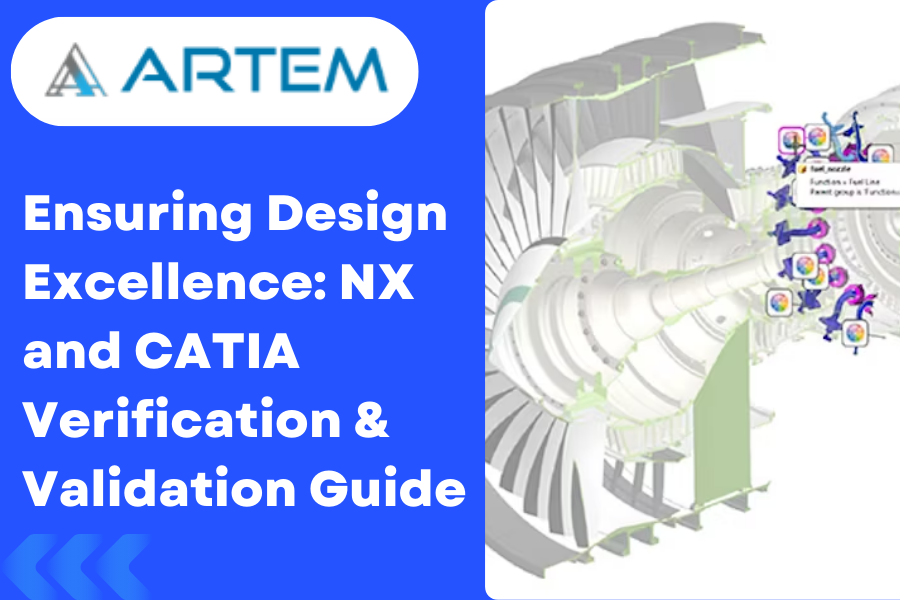
Verifying and validating a model developed in NX or CATIA is a crucial step to ensure that the design meets the specified requirements and adheres to industry standards. The verification process focuses on checking the model for accuracy, while validation ensures that the model aligns with the intended functionality and performance. Here’s a guide on how to perform verification and validation in NX or CATIA. VERIFICATION STEPS 1.Geometry Checks: NX: Utilize tools like “Check-Mate” to verify the geometric integrity of your model. Run geometry analysis tools to ensure there are no gaps, overlaps, or inconsistencies in the geometry. CATIA: Use the “Healing Assistant” to repair any geometric issues. Employ the “Geometrical Set” feature to organize and check geometry. 2.Dimensional Checks: NX: Inspect and validate dimensions using the “Inspect” or “Measure” tools. Ensure that dimensions meet the specified tolerances. CATIA: Utilize the “Measurement” and “Dimension” tools to verify dimensions. Check that dimensions conform to the design requirements. 3. Interference Checks: NX: Use the “Interference Analysis” tool to detect and resolve interference issues. Ensure that components do not interfere with each other during operation. CATIA: Employ the “Clash Detection” tool to identify interference. Validate that there are no clashes between components. 4. Assembly Checks: NX: Verify assembly constraints and relationships using the “Assembly Navigator.” Ensure that parts are correctly positioned and connected in the assembly. CATIA: Use the “Assembly Design” workbench to validate assembly constraints. Confirm that the assembly functions as intended. VALIDATION STEPS 1. Simulation and Analysis: NX: Utilize the simulation capabilities to analyze structural, thermal, or fluid behavior. Validate that the model performs as expected under different conditions. CATIA: Leverage simulation tools for structural, thermal, or fluid analysis. Validate the model’s performance against design requirements. 2. Prototyping and Testing: NX: If applicable, use NX for generating prototypes through additive manufacturing or traditional methods. Conduct physical testing to validate the model’s real-world behavior. CATIA: CATIA provides capabilities for generating prototypes and simulations for testing. Validate the physical prototype against the virtual model. 3. Collaborative Design Review: NX: Use the “Teamcenter” integration for collaborative design reviews and feedback. Ensure that all stakeholders are aligned on the design requirements. CATIA: Leverage collaborative design environments for multidisciplinary reviews. Incorporate feedback to refine and validate the design. 4. Compliance with Standards: Ensure that the model complies with industry standards, such as ISO, ASME, or specific customer standards. Validate that the design meets regulatory requirements for the intended application. DOCUMENTION 1. Design Documentation: Create comprehensive design documentation that includes drawings, specifications, and design intent. Ensure that the documentation accurately reflects the verified and validated design. 2. Change Management: Implement a robust change management process to track and document any modifications to the design. Validate that changes align with the initial design requirements. 1. Table for NX and CATIA in view of Verification Steps : Verification Steps NX CATIA Geometry Checks – Use “Check-Mate” and geometry analysis tools. – Utilize “Healing Assistant” and geometry checking tools. Dimensional Checks – Inspect and validate dimensions using “Inspect” or “Measure” tools. – Use “Measurement” and “Dimension” tools for verification. Interference Checks – Use “Interference Analysis” to detect and resolve interference. – Employ “Clash Detection” for identifying interferences. Assembly Checks – Verify constraints and relationships using “Assembly Navigator.” – Use “Assembly Design” workbench to validate constraints. 2.Table for NX and CATIA in view of Validation steps: Validation Steps NX CATIA Simulation and Analysis – Utilize simulation for structural, thermal, and fluid analysis. – Leverage simulation tools for structural, thermal, and fluid analysis. Prototyping and Testing – Generate prototypes through additive manufacturing or traditional methods. – Use CATIA for generating prototypes and simulations for testing. Collaborative Design Review – Use “Teamcenter” integration for collaborative reviews and feedback. – Leverage collaborative design environments for multidisciplinary reviews. Compliance with Standards – Ensure compliance with industry standards and regulatory requirements. – Validate compliance with industry standards and regulatory requirements. 3.Table for NX and CATIA in view of Documentation : Documentation NX CATIA Design Documentation – Create comprehensive design documentation with drawings and specifications. – Develop detailed design documentation with drawings and specifications. Change Management – Implement a robust change management process to track modifications. – Ensure a robust change management process to track and document changes. Conclusion: Ensuring Excellence in Design Verifying and validating a model in NX or CATIA is an iterative and comprehensive process that involves both digital analysis and real-world testing. By systematically checking geometry, dimensions, interferences, and assembly, and then validating through simulation, prototyping, and collaborative design reviews, you ensure the excellence of your design. The documentation and change management steps add a layer of control and traceability, ensuring that the design remains aligned with requirements throughout its lifecycle.

Welcome to our NX CAD journey! In this blog post, we’ll guide you through a checklist to ensure you master the art of 2D sketching and 3D modeling. Whether you’re a beginner or looking to enhance your skills, these steps will help you create precise and efficient designs using Siemens NX CAD software. 2D Sketching Checklist 1. Understand the Basics Familiarize yourself with the user interface. Learn the essential tools: lines, circles, arcs, constraints, etc. 2. Create a Solid Foundation Start with accurate reference geometry. Utilize layers to organize and manage your sketch elements. 3. Use Constraints Effectively Apply geometric and dimensional constraints for stability. Learn how to use constraints to control sketch behavior. 4. Explore Advanced Sketching Techniques Master splines, ellipses, and other advanced sketch entities. Experiment with sketch patterns for efficient design replication. 5. Check for Sketch Quality Regularly inspect and optimize your sketches. Use the sketch doctor tool to identify and fix potential issues. 6. Incorporate Parametric Design Understand the power of parametric relationships. Practice modifying dimensions and constraints to observe design changes. 3D Modeling Checklist 1. Start with a Solid Foundation Transition smoothly from 2D sketches to 3D models. Understand the importance of datum planes and coordinate systems. 2. Master Extrusions and Revolutions Learn to create extrusions and revolved features. Experiment with different options and settings. 3. Utilize Advanced Modeling Tools Explore sweeps, lofts, and blends for complex shapes. Understand how to use Boolean operations effectively. 4. Harness the Power of Assemblies Grasp the basics of assembly creation. Understand how to constrain components within an assembly. 5. Optimize Your Workflow Learn keyboard shortcuts for faster modeling. Utilize the feature tree for efficient design history navigation. 6. Ensure Model Accuracy Regularly check and validate your model’s accuracy. Utilize analysis tools to ensure the structural integrity of your designs. Conclusion By following this comprehensive checklist, you’ll be well on your way to mastering 2D sketching and 3D modeling in NX CAD. Remember, practice is key, so don’t hesitate to experiment with different features and functionalities. Happy designing!
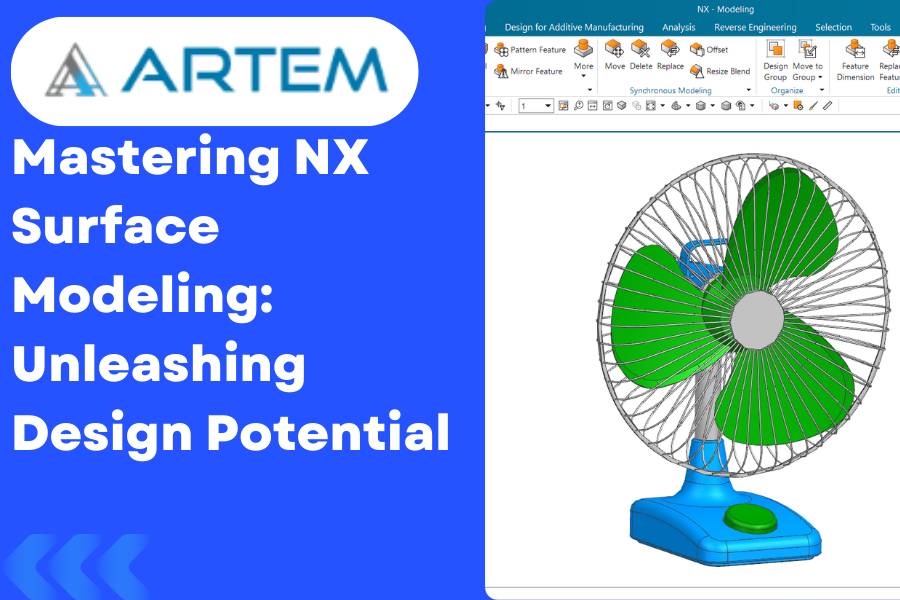
Welcome to our exploration of Surface Modeling in NX, where we unravel the intricate world of creating complex shapes and designs. Surface modeling is an integral part of computer-aided design (CAD) that allows engineers and designers to craft aesthetically pleasing and functionally efficient products. Let’s dive into the depth of NX’s surface modeling capabilities. Understanding Surface Modeling Surface modeling involves creating 3D shapes using interconnected surfaces rather than solid volumes. This technique is particularly useful when dealing with intricate designs, ergonomic considerations, or the need for smooth transitions between shapes. NX Surface Modeling Options: 1 Curve Creation: Spline Curves: Start your surface modeling journey by mastering the creation of spline curves. These smooth, continuous curves are essential for creating organic shapes. Section Curves: Learn to use section curves for precise control over the shape of your surfaces. These curves define the profiles that shape your surfaces. 2. Surface Creation: Extrude and Revolve Surfaces: Begin with the basics. Extrude and revolve surface creation tools allow you to extend and rotate 2D profiles to form 3D surfaces. Blend and Sweep Surfaces: Explore the blend and sweep options for creating complex transitions and blends between different surface sections. 3. Advanced Surface Operations: Extend and Trim Surfaces: Refine your surfaces by extending or trimming them to meet specific design requirements. Offset Surfaces: Create offset surfaces for generating parallel or concentric surfaces with controlled distances 4. Surface Editing: Move and Edit Surface Points: Gain control over your surfaces by moving and editing surface points to achieve the desired shape. Global Surface Editing: Utilize advanced editing tools to globally modify surfaces and maintain design intent. 5. Surface Analysis and Validation: Curvature Analysis: Evaluate the quality of your surfaces using curvature analysis tools. Ensure smooth transitions and avoid undesirable surface anomalies. Surface Validation: Employ validation tools to check for gaps, overlaps, or other issues in your surface model. 6. Hybrid Modeling: Combine with Solid Modeling: Integrate your surface models seamlessly with solid modeling for a hybrid approach, allowing the best of both worlds. 7. Documentation and Export: Detailing and Annotation: Add detailing and annotations to your surface models to create comprehensive manufacturing documentation. Export Options: Familiarize yourself with various export options to share your surface models with other CAD systems or stakeholders. Conclusion: Surface modeling in NX opens up a realm of possibilities for designers and engineers. By mastering the diverse set of tools and techniques available, you can bring your most ambitious designs to life. Remember, practice and experimentation are key to becoming proficient in surface modeling. Happy modeling!
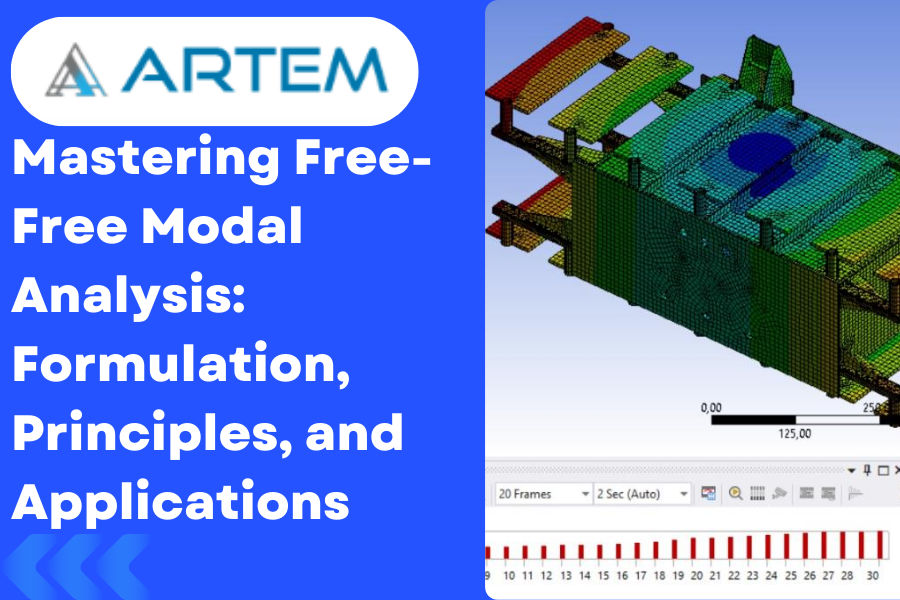
In the realm of structural engineering, the quest for understanding the dynamic behavior of systems has led to the development of sophisticated analysis techniques. One such powerful method is Free-Free Modal Analysis, a process that goes beyond conventional modal analysis by considering structures that are unrestrained at their boundaries. In this blog, we’ll explore the formulation behind Free-Free Modal Analysis, unlocking the secrets to finding natural frequencies and mode shapes. Understanding the Basics: Before delving into the formulation, let’s grasp the fundamental principles governing Free-Free Modal Analysis: Unrestrained Boundaries: Unlike traditional modal analysis, Free-Free Modal Analysis assumes that the structure is not fixed or constrained at its boundaries. This is a crucial departure from other modal analysis methods, as it allows for a more accurate representation of the dynamic behavior of the system. Natural Frequencies: The primary objective of this analysis is to determine the natural frequencies of the structure. These frequencies represent the inherent vibrational modes of the system and are critical for understanding how it responds to dynamic loads. Mode Shapes: Mode shapes describe the spatial distribution of deformations within the structure during vibration. Identifying mode shapes is essential for gaining insights into the dynamic response and potential weaknesses of the system. Formulation of Free-Free Modal Analysis: The formulation for Free-Free Modal Analysis involves solving the equations of motion for the structure. The basic equation of motion for a single-degree-of-freedom system can be expressed as: M is the mass matrix, C is the damping matrix, K is the stiffness matrix, u is the displacement vector, ¨u¨ is the acceleration vector, ˙u˙ is the velocity vector, and F is the force vector. For a structure with multiple degrees of freedom, the equation of motion becomes a set of coupled second-order differential equations, typically represented in matrix form as: $$M\ddot U+\;C\dot U+\;KU\;=F$$ where U is the vector of displacements for all degrees of freedom. To find the natural frequencies and mode shapes, one needs to solve the eigenvalue problem: $$2KU=\omega2MU$$ Here, ω represents the circular frequency, and U is the eigenvector associated with each natural frequency. Once the natural frequencies (ω) are obtained, the corresponding mode shapes can be extracted from the eigenvectors U. These mode shapes depict the spatial distribution of deformations during vibration. Applications and Benefits: Aerospace Industry: Free-Free Modal Analysis aids in optimizing the design of aircraft and spacecraft, ensuring that the structures can withstand dynamic loads encountered during flight. Automotive Engineering: In the automotive sector, this analysis technique is employed to enhance vehicle safety, comfort, and overall performance by identifying and addressing potential vibration issues. Civil Engineering: Free-Free Modal Analysis plays a crucial role in designing resilient structures such as bridges and buildings, helping engineers understand and mitigate the impact of dynamic forces like wind and earthquakes. Conclusion: Free-Free Modal Analysis, with its sophisticated formulation, stands as a cornerstone in unraveling the complexities of structural dynamics. Armed with the ability to determine natural frequencies and mode shapes, engineers can optimize designs and ensure the robustness of structures across various industries. As technology advances, the integration of such analytical tools continues to shape the future of structural engineering, offering unprecedented insights for safer and more efficient designs.
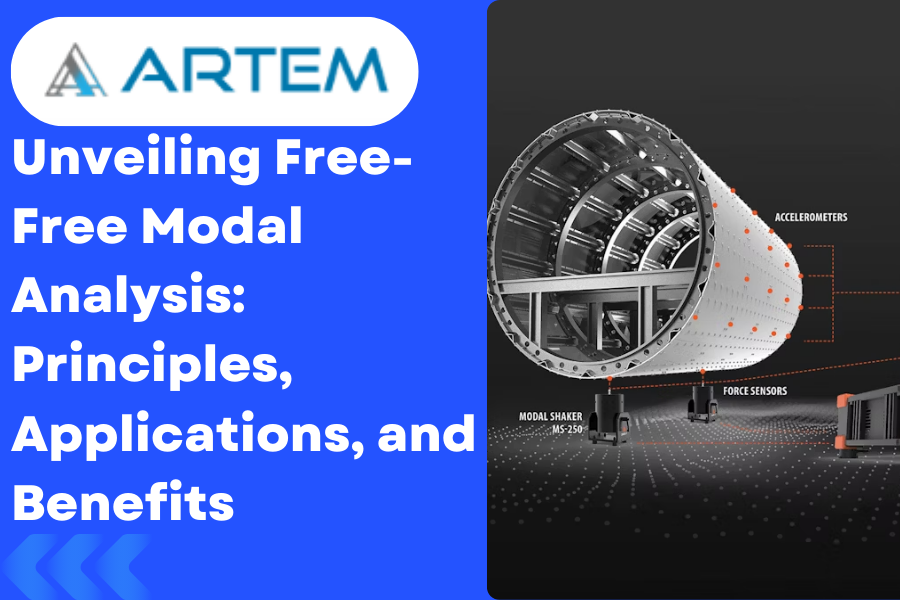
Introduction: Structural analysis is a critical aspect of engineering and design, providing invaluable insights into the dynamic behavior of various systems. One powerful technique used in this domain is Free-Free Modal Analysis. In this blog, we’ll delve into the intricacies of this methodology, understanding its principles, applications, and how it contributes to optimizing the design and performance of structures. Understanding Free-Free Modal Analysis: Modal analysis is a technique employed to study the dynamic characteristics of structures by identifying their natural frequencies and mode shapes. Free-Free Modal Analysis, in particular, focuses on systems that are not restrained or fixed at their boundaries. This method is especially relevant in scenarios where the structural elements are not rigidly connected to external supports. Principles of Free-Free Modal Analysis: Natural Frequencies: The primary goal of Free-Free Modal Analysis is to determine the natural frequencies of a structure. These frequencies represent the inherent vibration modes of the system, shedding light on how it responds to dynamic forces. Mode Shapes: Mode shapes describe the spatial distribution of displacements and provide insight into how a structure deforms during vibration. Identifying mode shapes is crucial for understanding the dynamic behavior of the system. Boundary Conditions: The ‘free-free’ aspect of this analysis signifies that the structure is unrestrained at its boundaries. This condition allows for a more accurate representation of the true dynamic response of the structure, as it eliminates the influence of external constraints. Applications of Free-Free Modal Analysis: Aerospace Engineering: In the aerospace industry, Free-Free Modal Analysis is pivotal for understanding the vibration characteristics of aircraft and spacecraft structures. Identifying and mitigating potential resonances is crucial to ensuring the safety and longevity of these vehicles. Automotive Industry: Car manufacturers employ Free-Free Modal Analysis to assess the structural integrity and performance of vehicle components. This analysis aids in optimizing designs for enhanced safety, comfort, and fuel efficiency. Civil Engineering: Free-Free Modal Analysis is applicable in civil engineering to study the dynamic behavior of bridges, buildings, and other structures subjected to environmental loads such as wind and earthquakes. This knowledge helps engineers design structures that can withstand dynamic forces. Mechanical Systems: In the realm of mechanical engineering, this analysis technique is used to study the vibrations of machinery and mechanical components. It assists in identifying potential sources of failure and optimizing the design for reliability. Benefits of Free-Free Modal Analysis: Accurate Representation: By considering the free-free boundary conditions, this analysis method provides a more realistic representation of how a structure behaves in real-world conditions. Optimization of Designs: Understanding the natural frequencies and mode shapes allows engineers to optimize designs, ensuring that structures can withstand dynamic loads without experiencing resonance or other detrimental effects. Early Detection of Issues: Identifying potential issues related to vibration and dynamic response during the design phase enables engineers to address and rectify problems before the construction or manufacturing process begins. Conclusion: Free-Free Modal Analysis stands as a powerful tool in the engineer’s toolkit, offering insights into the dynamic behavior of structures across various industries. From aerospace to civil engineering, the application of this methodology contributes to safer, more efficient, and resilient designs. As technology continues to advance, the integration of modal analysis techniques like Free-Free Modal Analysis will play a pivotal role in shaping the future of structural engineering.

The introduction of new technology often has a significant impact on society and the economy, as it can drive innovation, improve productivity, and create new markets and jobs. New technology can also improve the quality of life for individuals and communities by addressing social and environmental challenges, such as healthcare, education, and climate change. Mechanical engineering has made some of these expectations a reality. By which many smart machines have been invented that make our lives easier. These machines are engineered using applications such as Ansys. It is a software suite that engineers can use to design revolutionary projects. Ansys Story For more than 50 years, Ansys engineering simulation software has enabled innovators across industries to push boundaries using the predictive power of simulation. The next great leaps in human advancement will be powered by Ansys. Founded in 1970, Ansys is the original and gold standard simulation provider. Also Read: Need to add another blog title and link to other blog Simulation is All Ansys Does Ansys 4,900 global associates are singularly focused on giving engineers the clarity and confidence to simulate their way towards transformational innovation. #1 in engineering simulation Best-of-breed portfolio across all physics High-fidelity results Best-in-class technical support The Superpower to Engineer What’s Ahead Ansys simulation gives engineers the ability to explore and predict how products will work — or won’t work — in the real world. It’s like being able to see the future, enabling engineers to innovate as never before. This simulation superpower also speeds time-to-market, lowers manufacturing costs, improves quality and decreases risk. Improved operational efficiency Higher engineering productivity Reduced warranty reserves Streamlined regulatory approvals Fewer physical prototypes More products with same resources Why should you study Ansys? As a mechanical engineer looking to specialize in structural design, you need to learn as much relevant software as you can. Every company has its own strategies to reduce testing costs, and Ansys is fast becoming a popular choice. Aside from the cost advantages, Ansys is also known for its simulation programs. Each has a specific function to produce accurate test results. The software effectively combines mechanical engineering and physics. Taking an Ansys training course will put you at an advantage when it comes to future employment. It takes serious commitment to understand how to make use of the software. As long as you have a good theoretical background in engineering, then you are good to go. Also Read: Need to add another blog title and link to other blog In simple words, here some reasons mentioned are: 1.Career opportunities: ANSYS is widely used in various industries, including aerospace, automotive, defense, energy, and healthcare. Having knowledge of ANSYS can make you highly desirable to employers in these industries. 2.Improved design skills: ANSYS can help you develop a better understanding of how products and processes behave under different conditions. This can lead to improved design skills and the ability to create more efficient and effective products. 3.Reduced costs: By using ANSYS to simulate and test products, you can reduce the need for physical testing and prototyping. This can save time and money, as well as reduce the environmental impact of product development. 4.Enhanced problem-solving abilities: ANSYS can help you develop critical thinking and problem-solving skills. By analyzing and interpreting simulation results, you can gain insights into the behavior of complex systems and develop effective solutions to engineering problems. 5.Access to a community of experts: ANSYS has a large and active user community, which can provide support, advice, and inspiration for your engineering projects. Studying ANSYS can give you access to this community and help you develop connections with experts in your field. Also Read: Need to add another blog title and link to other blog What are Ansys Products? ANSYS offers a wide range of products that cater to different simulation needs. Here are some of the main ANSYS products: 1.ANSYS Mechanical: This product provides finite element analysis (FEA) capabilities for structural mechanics simulations. It can be used to analyze and optimize the behavior of components and assemblies under various loading conditions. 2.ANSYS Fluent: This product is a computational fluid dynamics (CFD) solver that enables engineers to simulate fluid flow, heat transfer, and chemical reactions in a wide range of applications, from aerodynamics to biomedical engineering. 3.ANSYS HFSS: This product is a high-frequency electromagnetic solver that enables engineers to simulate and optimize the behavior of antennas, microwave circuits, and other high-frequency components. 4.ANSYS Maxwell: This product is a low-frequency electromagnetic solver that enables engineers to simulate and optimize the behavior of electrical and magnetic devices, such as motors, transformers, and sensors. 5.ANSYS LS-DYNA: This product is a finite element solver that enables engineers to simulate the behavior of complex systems, such as automotive crash tests and explosive blast simulations. 6.ANSYS Discovery: This product provides an easy-to-use simulation environment that enables engineers to explore and optimize designs quickly and efficiently. It includes tools for structural mechanics, fluids, and electromagnetics simulations. These are just a few examples of the many ANSYS products available. ANSYS also offers specialized products for specific industries, such as ANSYS Aerospace & Defense and ANSYS Automotive. The company is constantly developing new products and features to meet the evolving needs of engineers in different fields. Also Read: Need to add another blog title and link to other blog What you can learn from Ansys? ANSYS is a computer-aided engineering (CAE) software that allows engineers to simulate and analyze various physical phenomena, such as structural mechanics, fluid dynamics, and electromagnetics. The software provides a powerful and flexible environment for designing, testing, and optimizing products and processes in a virtual setting, thereby reducing the need for physical testing and prototyping. Some of the main features of ANSYS software include: 1.Pre-processing: ANSYS provides a range of tools for creating and preparing geometries, defining material properties, and setting up simulations. 2.Solvers: ANSYS includes a range of solvers for simulating various physical phenomena, such as structural mechanics, fluid dynamics, and electromagnetics. These solvers use advanced algorithms to solve complex

Are you looking for the right Ansys courses in India to brush up on your skills? Whether you’re a beginner or an experienced professional, this comprehensive guide will help you find the most suitable course for your needs! Read on to discover what Ansys courses are available in India, the features they offer, and how to choose the appropriate one. Introduction to Ansys Ansys is powerful engineering simulation software that is used by engineers to design and test products. It is a very versatile tool that can be used for a wide range of engineering applications. In this guide, we will take a look at the best Ansys courses in India that you can take to get started learning this software. Ansys is powerful engineering simulation software that can be used for a wide range of engineering applications. It is a very versatile tool that can be used for designing and testing products. In this guide, we will take a look at the best Ansys courses in India that you can take to get started learning this software. Ansys provides engineers with the ability to design and test products in a virtual environment. This allows engineers to save time and money by avoiding costly mistakes during the design and manufacturing process. Additionally, Ansys provides engineers with access to advanced tools for analyzing product performance. These tools can help engineers improve the quality of their products and make more informed decisions about product development. The most comprehensive Ansys course in India will provide you with a comprehensive introduction to the software and its capabilities. You will learn how to use Ansys for your specific engineering application. Additionally, you will gain an understanding of the various features and tools that are available within the software. By taking one of these courses, you will be able to use Ansys with confidence and improve your product development process. What is Ansys? Ansys is computer-aided engineering software that enables engineers to perform simulations and create designs. The software is used extensively in the automotive, aerospace, and construction industries. Ansys offers a wide range of features and tools that enable users to create accurate and efficient designs. Benefits of learning Ansys Ansys is powerful engineering simulation software that can be used to predict the behavior of complex systems. It is widely used in a variety of industries, including automotive, aerospace, and manufacturing. Learning Ansys can help you become more efficient and productive at work. Some of the benefits of learning Ansys: Ansys can help you save time and money by optimizing designs and avoiding costly mistakes. Ansys can be used to test different design scenarios, allowing you to find the most suitable solution for your needs. Ansys simulations are accurate and realistic, giving you confidence in your designs. Ansys is a versatile tool that can be used for a wide range of engineering applications. Learning analytics can help you advance your career and open up new job opportunities. Popular Ansys Courses in India – Overview When it comes to choosing the most appropriate Ansys course in India, there are many factors to consider. The most significant factor is your area of interest and the type of analysis you wish to perform. In addition, other relevant include the level of experience you have, your budget, and the location of the institute. If you want to pursue a career in mechanical engineering, then the right Ansys course for you would be the one that teaches structural analysis. If you are interested in thermal analysis, then you should opt for a course that covers both thermal and fluid dynamics. If you want to learn about electromagnetic field simulations, then you should choose a course that covers this topic along with electrical circuits. Once you have decided on the type of analysis you want to perform, the next step is to choose an institute that offers Ansys courses matching your requirements. There are many institutes in India that offer Ansys courses at different levels. You can either opt for a short-term course or a long-term one depending on your time availability and budget. Short-term courses are generally more affordable and can be completed in a few weeks. Long-term courses, on the other hand, take longer to complete but offer more comprehensive coverage of the topics covered. Some of the popular Ansys courses offered in India include: Introduction to Ansys Workbench; Static Structural Analysis Using Ansys; Thermal Analysis Using Ansys. There are many Ansys courses available in India, but which one is best for you? It depends on your needs and learning goals. In this section, we’ll compare the top Ansys courses in India to help you decide which one is right for you. The first course we’ll look at is the “Introduction to Ansys” course on Artem Academy. This course is suitable for beginners and covers all the basics of using Ansys software. Next, we have the “Ansys Simulation Course” Advanced course on Ansys Workbench. This course is aimed at engineers who want to learn how to use Ansys for simulations. The course covers all the major topics in Ansys, including structural analysis, fluid dynamics, and thermal analysis. Finally, we have the “Ansys Advanced Simulation” course. This course is designed for engineers who want to learn advanced simulation techniques using Ansys software. The course covers topics such as dynamic analysis, nonlinear analysis, and Implicit, Rigid body dynamics. Advantages of each course There are several reasons to consider taking an Ansys course. The software is powerful and can be used for a variety of simulations, including structural, thermal, and fluid dynamics. It is also user-friendly, so even those with no experience of computer-aided engineering (CAE) can learn how to use it effectively. Ansys courses can be found at many universities and colleges in India. Some of the advantages of each type of institution are listed below: Universities: offer a more comprehensive education, covering all aspects of Ansys usage; often have better facilities, including access to the latest versions of the

Finite Element Analysis (FEA) is a numerical method used to analyze and solve complex engineering problems. It is a computational technique that breaks down a complex structure or system into smaller, simpler elements called finite elements. By discretizing the system into these elements, the behavior of the entire system can be approximated and analyzed. According to RENE DECARTES philosophy “Divide each difficulty into as many parts as is feasible and necessary to resolve it”. Same rule is followed in finite element analysis to resolve complex scenarios. In FEA, the first step is to divide the system into finite elements, such as triangles or quadrilaterals in 2D problems or tetrahedrons or hexahedrons in 3D problems. Each element has a defined geometry and material properties. The system is then represented by a network of interconnected elements, forming a mesh. The behavior of each finite element is governed by mathematical equations based on the principles of mechanics, such as equilibrium equations and constitutive relationships. These equations describe how the elements deform and interact with each other under the influence of external forces or loads. FEA uses the method of discretization to approximate the solution to the governing equations. In other words, is a numerical technique used for solving complex engineering problems by dividing a system or structure into smaller. The underlying mathematical framework behind Finite Element Analysis is finite element method (FEM). By solving these equations for each finite element and applying suitable boundary conditions, such as fixed displacements or applied forces, the overall behavior of the system can be determined. FEA can be used to analyze a wide range of engineering problems, including structural analysis, heat transfer, fluid flow, and electromagnetics. It allows engineers to simulate and predict the behavior of complex systems before physical prototypes are built, enabling optimization, design validation, and performance evaluation. FEA has become an indispensable tool in various industries, including aerospace, automotive, civil engineering, and manufacturing.
In the realm of engineering and product development, simulations have become invaluable tools for understanding and optimizing designs. Ansys Workbench, a leading simulation software, is a powerful ally in this quest for engineering excellence. This article delves into how mastering Ansys Workbench can simplify complex simulations and transform the way we design and innovate. The Power of Ansys Workbench: Ansys Workbench, a comprehensive platform, unifies diverse simulation tools within a single, user-friendly interface. This integration not only simplifies the simulation process but also empowers engineers to delve into multiphysics simulations. By studying multiple physical phenomena simultaneously, it offers a holistic perspective on complex systems. Explore our Ansys Workbench Course for hands-on experience with this powerful tool. User-Friendly Interface: Ansys Workbench’s user-friendly interface is one of its most compelling features. Engineers, even those relatively new to simulation, can quickly adapt to its intuitive layout. This ease of use means that more team members can effectively utilize simulation, bringing the benefits of virtual prototyping to a broader audience. Versatility in Simulations: Ansys Workbench covers a wide spectrum of engineering domains, including structural, thermal, fluid dynamics, electromagnetic, and more. This versatility is a game-changer, as engineers can now perform simulations that involve multiple physical aspects, mirroring the real-world behavior of their designs. Parametric Analysis: Ansys Workbench simplifies the process of conducting parametric studies. Engineers can create parametric models that automatically generate multiple design variations, making it easy to assess how changes impact performance. This feature is invaluable in optimization studies and design exploration. Validation and Verification: Engineers can have confidence in the accuracy of Ansys Workbench simulations. The software has undergone extensive validation and verification processes, and it’s widely recognized and trusted in industries where precision is paramount, such as aerospace and automotive. Reduced Physical Prototyping: One of the most significant advantages of mastering Ansys Workbench is the significant reduction in physical prototyping. Simulations allow engineers to test designs virtually, saving both time and resources. This not only expedites product development but also contributes to cost savings. Mastering Ansys Workbench is not just about simplifying complex simulations; it’s about unlocking a new era of engineering efficiency and excellence. The software empowers engineers to explore the intricate details of their designs, optimize performance, and validate their concepts with confidence. In a world where innovation and time-to-market are critical, Ansys Workbench has become an essential tool for those aiming to create the best products and systems. Conclusion: Mastering Ansys Workbench enables engineers to simplify complex simulations with greater confidence and efficiency through its unified, user-friendly platform. It supports accurate multiphysics analysis across various engineering domains, significantly reducing the need for physical prototyping and saving both time and cost. Ultimately, Ansys Workbench empowers smarter design decisions and drives a higher standard of engineering excellence.