

Welcome to the dynamic world of CATIA, where innovation knows no bounds. Collaborative design projects are the heartbeat of modern engineering, and mastering the art of collaboration in CATIA can elevate your team’s efficiency and creativity. In this blog, we’ll explore the best practices for collaborative design using CATIA, with a focus on communication and version control. The Collaborative Landscape in CATIA Collaborative design in CATIA is a symphony of ideas, bringing together minds to create intricate and functional designs. Here are some strategies to ensure that your collaborative design projects hit all the right notes: Establish Clear Communication Channels Tip: Begin by defining clear communication channels within your team. CATIA offers tools for real-time collaboration, such as shared 3D models and annotations. Utilize these features to foster direct and instant communication among team members. Example: During a design review, use the annotation tools to highlight specific areas of concern or improvements directly on the 3D model. This visual feedback streamlines communication and ensures everyone is on the same page. Define a Structured Workflow Tip: Develop a structured workflow that outlines the sequence of design tasks, reviews, and approvals. CATIA allows you to create task lists and assign responsibilities within the software, ensuring a smooth progression of the collaborative design process. Example: Use CATIA’s task assignment features to designate specific design tasks to team members. This helps in avoiding overlap or conflicts in design modifications, ensuring an organized and efficient workflow. Leverage Cloud-Based Collaboration Tip: Explore CATIA’s cloud-based collaboration capabilities, allowing team members to access and work on the same design files from anywhere. This fosters flexibility and encourages collaboration across geographically dispersed teams. Example: Imagine a scenario where team members in different locations need to contribute to a design. CATIA’s cloud-based collaboration enables seamless file sharing and real-time updates, ensuring that everyone has access to the latest design iterations. Version Control: The Guardian of Consistency Tip: Implement a robust version control system to track changes, revisions, and updates to the design. CATIA’s version management tools allow you to create milestones, making it easy to revert to previous versions if needed. Example: When making significant design changes, create a new version and clearly document the modifications made. This not only helps in maintaining a record of the design evolution but also ensures that you can revert to an earlier state if required. Regular Design Reviews and Feedback Loops Tip: Schedule regular design review sessions where team members can provide constructive feedback. Use CATIA’s collaborative features to conduct virtual design reviews, allowing stakeholders to participate from various locations. Example: Host a virtual design review using CATIA’s conference mode, where team members can discuss the model in real-time. This approach fosters collaboration and ensures that every team member’s insights are considered in the design refinement process. Conclusion: Scoring Success in CATIA Collaboration Collaborative design with CATIA is not just about sharing files; it’s about weaving a narrative of innovation and efficiency. By establishing clear communication channels, defining structured workflows, leveraging cloud-based collaboration, implementing robust version control, and conducting regular design reviews, your team can transform collaborative design projects into seamless, harmonious endeavors. In the realm of CATIA, where precision meets creativity, effective collaboration is the key to orchestrating success in every design symphony.

Congratulations, graduate! You’re on the tip of diving into the exciting world of Computer-Aided Design (CAD). As you embark on this journey, a critical decision awaits: which CAD tool should you learn to kickstart your career? In this blog, we’ll navigate through the industry landscapes of three prominent CAD tools — SolidWorks, Siemens NX, and CATIA — to help you make an informed choice tailored to your career aspirations. SolidWorks: Bridging Simplicity and Power Industry Recognition: SolidWorks has carved a niche for itself in industries ranging from product design to consumer goods. Its user-friendly interface and ease of learning make it a popular choice, especially for small to mid-sized enterprises. Strengths for Graduates: User-Friendly: SolidWorks is known for its intuitive interface, making it an excellent starting point for beginners. Broad Applicability: Widely used in industries like consumer electronics, medical devices, and general manufacturing, SolidWorks provides versatility. Consider SolidWorks if: You’re looking for an easy entry point into CAD. Your career trajectory is aligned with industries where SolidWorks is extensively used. Siemens NX: Engineering Precision in Motion Industry Recognition: Siemens NX dominates industries with high precision requirements, such as aerospace, automotive, and machinery. It’s the go-to choice for large enterprises and those pushing the boundaries of innovation. Strengths for Graduates: Parametric Design Power: Siemens NX excels in parametric modeling, allowing for complex and precise designs. Comprehensive Simulation: Ideal for graduates interested in simulation-driven design processes. Consider Siemens NX if: You’re aiming for a career in industries demanding high precision, like aerospace or automotive. Your interest lies in comprehensive simulation and engineering analysis. CATIA: For the Architects of Complexity Industry Recognition: CATIA is an industry leader, particularly in aerospace, automotive, and industrial design. It’s a robust choice for handling complex, surface-intensive designs. Strengths for Graduates: Advanced Surface Modeling: CATIA’s surface modeling capabilities are unparalleled, making it a favorite for intricate designs. Collaborative Design: Ideal for graduates aspiring to work on projects with multiple collaborators. Consider CATIA if: You’re fascinated by complex and aesthetically demanding designs. Your career goals align with industries prioritizing collaborative design environments. Making Your Decision: Tailoring CAD to Your Career Path Evaluate Industry Demand: Research the industries prevalent in your region or those you aspire to work in. Identify which CAD tool is in high demand among potential employers. Consider Your Learning Style: Each CAD tool has its learning curve. Consider your learning preferences and explore introductory courses or trial versions to find a tool that aligns with your style. Long-Term Goals: Think about your long-term career goals. If precision engineering and simulation are your interests, Siemens NX might be a good fit. For versatile applications, SolidWorks could be ideal, while CATIA excels in intricate and collaborative design scenarios. Conclusion: Your CAD Journey Begins As you embark on your CAD journey, remember that the best tool for you is the one that aligns with your goals and aspirations. Whether it’s the versatility of SolidWorks, the precision of Siemens NX, or the complexity handling of CATIA, each CAD tool offers a unique set of strengths. So, buckle up, choose wisely, and enjoy the ride as you shape your future in the world of Computer-Aided Design! Aspect SolidWorks Siemens NX CATIA Industry Recognition Widely used in product design, consumer goods, and small to mid-sized enterprises. Dominant in industries requiring high precision like aerospace and automotive. Industry leader in aerospace, automotive, and industrial design. Strengths for Graduates – User-friendly interface. – Parametric modeling excellence. – Advanced surface modeling capabilities. – Versatility across industries. – Comprehensive simulation tools. – Ideal for intricate and collaborative design scenarios. Consider if… – Ease of entry and broad applicability are essential. – Precision engineering and simulation-driven design interest you. – Complex, aesthetically demanding designs are your focus. Long-Term Goals – Versatile applications and broad industry scope. – Precision engineering and simulation-driven design. – Specialized in complex and collaborative design scenarios. Conclusion: Tailoring Your CAD Journey As you venture into the realm of Computer-Aided Design, consider your career aspirations, preferred learning style, and the industries you aim to work in. Whether you choose SolidWorks, Siemens NX, or CATIA, each CAD tool offers a unique set of strengths. Your decision should align with your goals, ensuring a smooth and fulfilling journey as you shape the future of design and engineering.

Aerospace engineering stands as a testament to human innovation, pushing the boundaries of what’s possible. At the heart of this cutting-edge industry lies Geometric Dimensioning and Tolerancing (GD&T), a language of precision that ensures every component, no matter how intricate, aligns seamlessly. In this exploration, we’ll delve into real-world case studies, demonstrating how GD&T is intricately woven into aerospace design using CAD tools like Siemens NX and Dassault Systèmes CATIA. Case Study 1: Fuselage Alignment in Siemens NX In the design of an aircraft fuselage using Siemens NX, precise alignment is critical for aerodynamics and structural integrity. GD&T plays a pivotal role in ensuring that the various components come together seamlessly. The position control feature in GD&T is employed to define the exact location of critical points on the fuselage concerning a datum reference frame. Example: The GD&T callouts on the blueprint define the position of crucial points, such as mounting brackets and access panels, relative to a specific datum. This precision is vital to maintain the aerodynamic profile and structural stability of the aircraft. Case Study 2: CATIA’s Role in Wing Manufacturing Dassault Systèmes CATIA takes center stage in the manufacturing of aircraft wings, where tolerances are incredibly tight. In this scenario, GD&T is used to define not only the dimensions but also the permissible variations in shape, ensuring the wings meet strict performance criteria. Example: The profile of the wing’s airfoil is defined using GD&T in CATIA, ensuring that the curvature and cross-sectional shape conform to the design intent. This meticulous control over the form guarantees optimal lift and drag characteristics during flight. Case Study 3: Engine Mounting Precision in Siemens NX Aerospace propulsion systems demand unparalleled precision. In the design of engine mounts using Siemens NX, GD&T is employed to guarantee the accurate positioning and alignment of the engine components. Example: GD&T controls are utilized to specify the tolerances for the location of engine mounting points, ensuring that the powerplant aligns precisely with the aircraft’s center of gravity. This level of precision is essential for balanced flight and optimal fuel efficiency. Lessons Learned: The Power of GD&T in Aerospace Design Enhanced Communication: GD&T serves as a universal language, facilitating clear communication between design engineers, manufacturers, and quality control teams. In the aerospace industry, where collaboration is key, this is paramount. Optimized Manufacturing Processes: By defining tolerances and geometric characteristics precisely, GD&T allows for efficient and cost-effective manufacturing processes. This is particularly crucial in aerospace, where components need to meet stringent standards while maintaining a balance between performance and weight. Improved Product Quality: The application of GD&T in aerospace design ensures that every component aligns with design intent, leading to enhanced product quality, increased safety margins, and improved overall performance. In conclusion, GD&T isn’t just a set of symbols on blueprints; it’s the silent force guiding the precision in aerospace engineering. Whether it’s the alignment of fuselage components, the shape of wing profiles, or the positioning of engine mounts, GD&T in conjunction with CAD tools like NX and CATIA is the unsung hero of aerospace design, propelling us to new heights of innovation and reliability.

Geometric Dimensioning and Tolerancing (GD&T) employs a unique set of symbols to communicate precise design specifications. Understanding these symbols is fundamental for anyone entering the world of engineering and manufacturing. In this beginner’s guide, we’ll explore the key GD&T symbols along with their characteristics and form-related implications, following the ASME (American Society of Mechanical Engineers) standards. Symbol: ⊥ (Perpendicularity) Characteristic: Perpendicularity ensures that a surface or axis is precisely at a right angle (90 degrees) to a datum reference. Form Control: This symbol is applied to features like holes or surfaces, indicating that they must be perpendicular to a specified datum plane. Symbol: ∥ (Parallelism) Characteristic: Parallelism ensures that a surface or axis is precisely parallel to a datum reference. Form Control: Applied to features such as surfaces or edges, it indicates that they must maintain a constant distance to a specified datum plane. Symbol: ⌀ (Diameter) Characteristic: Represents the diameter of a cylindrical feature. Form Control: Ensures that the cylindrical feature maintains a uniform diameter along its length. Symbol: ⌓ (Concentricity) Characteristic: Concentricity ensures that the center points of two features (like circles) share a common axis. Form Control: Applied to features like circles, it ensures that the centers coincide within a specified tolerance zone. Symbol: △ (Flatness) Characteristic: Flatness ensures that a surface is uniformly flat without any waviness or irregularities. Form Control: Applied to surfaces, it ensures that the entire surface lies within a specified tolerance zone. Symbol: ⨁ (Cylindricity) Characteristic: Cylindricity ensures that the entire surface of a cylindrical feature is within a specified tolerance zone. Form Control: Applied to cylindrical features, it ensures that the entire surface is uniform and does not deviate from a true cylinder. Symbol: Ⓧ (Position) Characteristic: Position establishes the location of a feature’s center point relative to a datum reference. Form Control: Applied to features like holes, it ensures that the center point falls within a specified tolerance zone. Symbol: ⥱ (Profile of a Line) Characteristic: Profile controls the shape of a feature along a straight line. Form Control: Ensures that the profile of the feature conforms to a specified tolerance zone. Symbol: ⭒ (Circularity) Characteristic: Circularity ensures that the entire circumference of a feature is within a specified tolerance zone. Form Control: Applied to circular features, it ensures that the entire circumference is uniform and does not deviate from a true circle. These fundamental symbols lay the groundwork for effective communication of design specifications through GD&T. As you embark on your GD&T journey, familiarizing yourself with these symbols and their associated characteristics will empower you to create precise engineering drawings and contribute to the development of accurate and efficient manufacturing processes. This guide, aligned with ASME standards, breaks down key GD&T symbols, their characteristics, and the form controls they impose. Symbol Characteristic Form Control ⊥ (Perpendicularity) Ensures a surface or axis is precisely at a right angle to a datum reference. Applies to features like holes or surfaces, indicating they must be perpendicular to a specified datum plane. ∥ (Parallelism) Ensures a surface or axis is precisely parallel to a datum reference. Applied to features such as surfaces or edges, indicating they must maintain a constant distance to a specified datum plane. ⌀ (Diameter) Represents the diameter of a cylindrical feature. Ensures the cylindrical feature maintains a uniform diameter along its length. ⌓ (Concentricity) Ensures the center points of two features (like circles) share a common axis. Applied to features like circles, ensuring the centers coincide within a specified tolerance zone. △ (Flatness) Ensures a surface is uniformly flat without any waviness or irregularities. Applied to surfaces, ensuring the entire surface lies within a specified tolerance zone. ⨁ (Cylindricity) Ensures the entire surface of a cylindrical feature is within a specified tolerance zone. Applied to cylindrical features, ensuring the entire surface is uniform and doesn’t deviate from a true cylinder. Ⓧ (Position) Establishes the location of a feature’s center point relative to a datum reference. Applied to features like holes, ensuring the center point falls within a specified tolerance zone. ⥱ (Profile of a Line) Controls the shape of a feature along a straight line. Ensures that the profile of the feature conforms to a specified tolerance zone. ⭒ (Circularity) Ensures the entire circumference of a feature is within a specified tolerance zone. Applied to circular features, ensuring the entire circumference is uniform and doesn’t deviate from a true circle. Understanding these symbols is a crucial step towards creating accurate engineering drawings and fostering effective communication throughout the manufacturing process. As you venture further into the realm of GD&T, these symbols will empower you to convey precise design intent, ensuring consistency and quality in every engineered component.

Welcome, aspiring engineers and graduate students! As you delve into the intricate world of Computer-Aided Design (CAD), mastering tools like Siemens NX can be a game-changer. Today, let’s unravel the secrets of NX CAD workflow optimization, a journey that promises not just efficiency but a heightened level of productivity in your design endeavors. Understanding the NX CAD EcosystemBefore we dive into optimization strategies, let’s briefly explore what makes Siemens NX a powerhouse in the CAD realm. NX offers a comprehensive suite of tools for 3D modeling, simulation, and manufacturing. It’s renowned for its parametric design capabilities, advanced simulation tools, and seamless integration across various stages of the product development lifecycle. The Quest for Optimization Mastering Parametric Design:Siemens NX thrives on parametric modeling, where relationships between elements are defined. Embrace the power of design intent by leveraging parameters, constraints, and equations. Establishing a robust parametric foundation not only ensures design flexibility but also expedites modifications when your project evolves. Harnessing Synchronous Technology:NX’s Synchronous Technology is a game-changer. This feature allows for direct editing of 3D models without the need for a history tree. Learn to leverage this tool for quick design changes, reducing the need to backtrack through a sequence of operations. It’s the key to nimble and adaptive design practices. Effective Use of Assemblies:As your projects grow in complexity, mastering assembly design becomes paramount. NX excels in this arena. Learn to use intelligent components, constraints, and motion simulation to optimize your assembly workflow. This ensures efficient collaboration and streamlines the integration of various components into a cohesive product. Utilizing Design Features and Templates:Design features and templates in NX are your productivity allies. Create reusable templates for standard components or assemblies, saving time on repetitive tasks. Understand how to use design features to encapsulate design intent and simplify the creation of complex geometries. Simulation-Driven Design:Siemens NX offers robust simulation tools. Integrate simulation early in your design process to identify potential issues and iterate swiftly. By adopting a simulation-driven design approach, you not only optimize your workflow but also enhance the overall quality of your designs. The Path to Peak ProductivityOptimizing your NX CAD workflow is not just about mastering tools; it’s a mindset. As a graduate student, the skills you cultivate now will shape your future endeavors. Embrace continuous learning, explore advanced features, and connect with the vibrant community of NX users. Remember, the key to productivity lies in efficiency, adaptability, and a willingness to explore the vast capabilities of Siemens NX. So, go ahead, unleash your creativity, and let Siemens NX be the canvas for your engineering masterpieces. The world of optimized CAD workflows awaits your innovative touch!

Attention, future design maestros! In the electrifying world of Computer-Aided Design (CAD), two giants reign supreme: Siemens NX and CATIA. Buckle up, because we’re about to embark on a thrilling journey through the landscapes of creativity, innovation, and engineering prowess! Setting the Stage: NX Enters the Arena NX, The Dynamo of Precision Imagine a digital realm where every curve, every detail, is meticulously crafted with the precision of a virtuoso. That’s where Siemens NX strides in, armed with a powerhouse of parametric modeling tools. Its prowess in handling complex assemblies and dynamic simulations makes it the go-to choice for industries pushing the boundaries of innovation. CATIA: The Skillful Composer of the CAD Symphony CATIA, Where Dreams Take Shape Now, shift your focus to CATIA, a virtuoso composer orchestrating a symphony of design possibilities. CATIA’s strength lies in its ability to seamlessly integrate various design disciplines. From aerospace marvels to automotive masterpieces, CATIA takes design exploration to unprecedented heights. Round 1: Interface and User Experience NX: Where Intuition Meets Innovation NX beckons with an intuitive interface, embracing designers with open arms. Its user-centric approach facilitates a seamless design journey, with a host of tools just waiting to transform concepts into digital reality. NX is the epitome of innovation meeting intuition. CATIA: Navigating the Design Cosmos CATIA, on the other hand, navigates the design cosmos with finesse. Its user interface is a canvas for creators, offering a blend of sophistication and simplicity. Designers find themselves in a realm where creativity knows no bounds, as CATIA’s user experience fosters exploration and experimentation. Round 2: 3D Modeling Showdown NX: The 3D Maestro In the realm of 3D modeling, NX emerges as the maestro, orchestrating intricate designs with unparalleled precision. Its parametric modeling capabilities give designers the freedom to sculpt their visions in a digital space, where every detail is a stroke of genius. CATIA: Sculpting Dreams in 3D CATIA, not to be outdone, enters the 3D arena with the finesse of a sculptor. Its surface modeling tools are a testament to its prowess, allowing designers to mold their dreams into tangible, three-dimensional wonders. The Grand Finale: Collaborative Capabilities NX: Collaboration Unleashed In the age of collaboration, NX takes center stage. Its collaborative design features empower teams to work seamlessly across geographical boundaries. Real-time updates, shared models – NX is the catalyst for a global design symphony. CATIA: Forging Connections in the Design Realm CATIA, too, embraces the collaborative spirit. It forges connections among designers, engineers, and innovators, creating a design ecosystem where ideas flow freely and innovations are born from collective genius. Let’s break down the contenders in a no-nonsense, easy-to-digest table: Feature Siemens NX CATIA User Interface Modern, intuitive, and user-friendly. Feature-rich with a steeper learning curve. Parametric Modeling Powerful and robust parametric capabilities. Highly flexible parametric design tools. Assembly Design Advanced assembly functionalities. Strong assembly capabilities with intelligent components. Surface Modeling Industry-leading surface modeling tools. Exceptional surface creation and manipulation features. Simulation & Analysis Comprehensive simulation and analysis tools. Extensive simulation modules for various applications. Collaboration Robust collaboration tools with Teamcenter integration. Strong collaboration features within the CATIA V6 ecosystem. Industry Adoption Widely used in automotive and aerospace industries. Dominant in aerospace, automotive, and industrial equipment sectors. Innovation Embraces cutting-edge technologies like Convergent Modeling. Known for pushing the boundaries of 3D design with innovative solutions. Cost Consideration Higher initial costs but justifies with extensive capabilities. Potentially lower entry costs, especially for smaller projects. Learning Curve Moderate learning curve, suitable for beginners. Steeper learning curve due to its extensive feature set. NX: The Power Play Siemens NX comes out swinging with a modern interface and robust parametric modeling capabilities. Its advanced assembly design and top-notch surface modeling make it a favorite in the aerospace and automotive sectors. Engineers love its simulation and analysis features, ensuring that your designs are not just aesthetic but also practical. CATIA: The Maestro of Precision CATIA, on the other hand, boasts a feature-rich interface and unparalleled flexibility in parametric design. Its strong assembly capabilities, combined with exceptional surface modeling, make it a force to be reckoned with. CATIA’s collaboration features within its ecosystem empower teams to seamlessly work together on intricate projects. The Verdict: Choose Your Weapon Wisely In this CAD showdown, both NX and CATIA are champions in their own right. Siemens NX excels with its modern interface and powerful simulation tools, while CATIA shines with its flexibility and precision in design. The choice ultimately depends on your project needs, industry focus, and personal preferences. So, young designers and engineers, as you embark on your CAD journey, weigh the options, experiment, and find the tool that resonates with your creative spirit. The battleground is set, and the winner? Well, that’s for you to decide in the grand arena of innovation and design!

If you’re aspiring to carve your niche in the dynamic world of automotive alignment engineering, mastering Computer-Aided Design (CAD) is a crucial pit stop on your career journey. The question then arises: which CAD software is the best companion for engineers in this field? Buckle up as we navigate through the options and unveil the ideal CAD destination for your automotive alignment career. The CAD Landscape: Navigating the Options The realm of CAD is vast, with various tools catering to different industries and design needs. When it comes to automotive alignment, two major players stand out: Siemens NX and CATIA. Siemens NX: Driving Precision and Integration Why Siemens NX? Parametric Modeling Skill: Siemens NX is renowned for its robust parametric modeling capabilities. For automotive alignment engineers, this means the ability to create and modify 3D models with ease, ensuring precise alignment specifications are met. Integrated Simulation: In the automotive world, simulation is key. Siemens NX offers comprehensive simulation tools, allowing engineers to predict and optimize the performance of alignment systems before they hit the road. Collaboration and Integration: Siemens NX seamlessly integrates with other Siemens solutions, providing a unified platform for design, simulation, and manufacturing. This integration ensures a smooth workflow, vital for automotive alignment projects with multidisciplinary requirements. CATIA: Streamlining Complex Designs Why CATIA? Surface Modeling Excellence: CATIA is renowned for its advanced surface modeling capabilities. This is a game-changer for automotive alignment engineers dealing with the sleek and aerodynamic designs of modern vehicles. Collaborative Design: CATIA fosters collaboration, allowing engineers to work concurrently on different aspects of a design. In the context of automotive alignment, where various components must work in harmony, this collaborative feature is invaluable. Industry Dominance: CATIA has a strong presence in the automotive industry, making it a preferred choice for many automotive manufacturers. Learning CATIA can open doors to opportunities in major automotive companies. Choosing Your CAD Vehicle: A Personal Journey The choice between Siemens NX and CATIA ultimately depends on your specific career goals, the industry landscape in your region, and your personal preferences. Here are a few factors to consider: Industry Demand: Research the companies in your region or the ones you aspire to work for. Some may have a preference for Siemens NX, while others might lean towards CATIA. Learning Curve: Both Siemens NX and CATIA have learning curves, but your personal learning style might align better with one over the other. Consider exploring trial versions or introductory courses to get a feel for each. Future Growth: Look into the future development plans of each CAD software. Consider which one aligns with the evolving trends and technologies in the automotive alignment field. Aspect Siemens NX CATIA Industry Adoption Widely used in automotive and aerospace industries. Prevalent in automotive, aerospace, and industrial design. Parametric Modeling Strong parametric modeling capabilities. Robust parametric modeling with advanced features. Surface Modeling Excellent surface modeling for complex designs. Known for advanced and precise surface modeling. Assembly Design Efficient assembly design tools with intelligent components. Powerful assembly design capabilities with collaboration features. Simulation and Analysis Integrated simulation tools for structural, thermal, and fluid analysis. Comprehensive simulation and analysis capabilities. Collaboration Capabilities Seamless integration with Teamcenter for PLM and collaborative design. Collaboration tools facilitate concurrent design among team members. Electrical Systems Design Provides capabilities for electrical systems design. Strong support for electrical systems design and integration. CAM (Computer-Aided Manufacturing) Integrated CAM solutions for manufacturing processes. Extensive CAM tools for a range of manufacturing applications. Industry Standards Compliance Compliant with industry standards like ISO 16792 (STEP AP242). Known for compliance with various industry standards. User Interface User-friendly interface, easier for beginners. Interface design may have a steeper learning curve. Customization and Extensions Extensive customization options and a wide range of extensions. Offers customization options but may have fewer extensions. Cost Consideration Licensing and maintenance costs can be relatively high. Cost structure may vary, and licensing costs can be significant. Conclusion: Steering Toward Success As you rev up your career in automotive alignment engineering, remember that both Siemens NX and CATIA are powerful tools with unique strengths. The best CAD for you is the one that aligns with your career goals, the industry landscape, and your personal preferences. So, buckle up, choose your CAD vehicle wisely, and enjoy the ride toward a successful and fulfilling career in automotive alignment engineering.

Welcome to the fascinating realm of sheet metal formulation, where precision meets creativity. Mastering the formulas involved in sheet metal design is like uncovering the language of a skilled craftsman. In this blog, we’ll delve into the essential formulas that underpin the art of sheet metal work, providing you with the knowledge to craft your designs with accuracy and finesse. 1.Understanding Sheet Metal Thickness (T) The thickness of a sheet metal piece is a fundamental parameter in any design. It dictates the material’s strength, weight, and overall structural integrity. Formula: Thickness T= Weight of the sheet Surface Area of the sheet Example: If you have a sheet metal piece weighing 10 pounds with a surface area of 5 square feet, the thickness (T) would be 10/5=2 pounds per square foot. 2.Calculating Bend Allowance (BA) Bend allowance is a crucial factor in determining the flat pattern length before bending. It considers the material’s elasticity during the bending process. Formula:Bend Allowance (BA)=180 ×Bend Angle ×Radius+K-factor ×Material Thickness Example: For a 90-degree bend with a radius of 1 inch, a material thickness of 0.05 inches, and a K-factor of 0.33, the bend allowance (BA) would be calculated using the formula. 3.Determining Bend Deduction (BD) Bend deduction accounts for the stretching of material on the outer surface of a bend and is crucial for accurate flat pattern development. Formula:Bend Deducation BD= Bend Allowance BA-Material Thickness × 180 ×Bend Angle Example: Using the values from the previous example, the bend deduction (BD) can be calculated. 4.Calculating Developed Length (DL) Developed length is the length of the sheet metal required for a specific design, considering bends and their allowances. Formula:Developed Length DL=Sum of All Flat Lenghts+Bend Allwances (BA) Example: If you have a flat pattern length of 10 inches with multiple bends, each with its bend allowance, the developed length (DL) is calculated by summing these lengths. 5.Determining Hole Patterns: Equally Spaced Holes In sheet metal design, equally spaced holes are a common feature. Calculating their positions ensures uniformity and precision. Formula:Distance Between Holes= Lemgth of SheetNumber of Holes-1 Example: For a sheet metal piece with a length of 20 inches and four equally spaced holes, the distance between holes is calculated using the formula. 6.Bend Radius: The bending radius is the minimum curvature a material can endure during the bending process without causing undue stress, deformation, or damage. Formula:Bend Radius R= Material Thickness ×Bend Factor Example: Imagine you’re working with a sheet of stainless steel with a thickness of 1.5 mm. If the bend factor for stainless steel is 0.016, the bend radius would be 1.5 mm x 0.016 = 0.024 mm. 7.K-Factor: The K-factor in sheet metal design represents the ratio of the neutral axis location to the material thickness, crucial for accurate bend allowance calculations during manufacturing. Formula:K-factor k= inside Radius-Material Thickness 2 ×Material Thickness Example: Let’s say you have a sheet metal part with an inside radius of 3 mm and a material thickness of 2 mm. The K-factor would be (3 mm – 2 mm) / (2 x 2 mm) = 0.25. 8.Flat Pattern Length: Flat pattern length is the total length of a 2D sheet metal pattern, accounting for all bends and features, crucial for material layout and manufacturing. Formula:Flat Pattern Length=Bend Allowance ×Bend Angles Example: For a sheet metal part with a bend allowance of 5 mm and three 90-degree bends, the flat pattern length would be 5 mm x 3 = 15 mm. 9.Setback: Setback is the distance from the bend line to the innermost surface of the material after bending, crucial for accurate flat pattern development. Formula:Setback=0.33 ×Material Thickness Example: For a sheet metal part with a material thickness of 1.2 mm, the setback would be 0.33 x 1.2 mm = 0.396 mm. 10.Hem Allowance: Hem allowance is an additional material provided along the edge of a sheet metal component to create a folded, reinforced, or aesthetically finished edge. Formula:Hem Allowance =2×Material Thickness Example: If you’re creating a hem on a sheet metal part with a material thickness of 1.5 mm, the hem allowance would be 2 x 1.5 mm = 3 mm. 11.Deciphering Minimum Flange Widths Determining the minimum flange width ensures that the material can withstand bending processes without deformation or failure. Formula for Minimum Flange Width (b):Minimum Flange Thickness=2 ×Material Thickness Example: Let’s consider a sheet metal component with a thickness (t) of 1.5 mm. Using the formula, the minimum flange width (b) would be 2×1.5=32×1.5=3 mm. Formula for Minimum Hole Diameter (D):Minimum Hole Diameter=2×Material Thickness+Hole Clearance Example: For a sheet metal material with a thickness (t) of 2 mm, the minimum hole diameter (D) would be 2×2+1.2=5.22×2+1.2=5.2 mm. 12.Navigating Blank Diameters for Drawing Precision Blank diameters determine the size of the initial flat pattern before bending, influencing the overall success of the sheet metal forming process. Formula for Blank Diameter (BD):Blank Diameter=Developed Length of part+K-factor ×Inside bend Radius Example: Consider a sheet metal part with a developed length (L) of 150 mm, a K-factor (K) of 0.33, and an inside bend radius (R) of 5 mm. The blank diameter (BD) would be 150+0.33×5=151.65150+0.33×5=151.65 mm. Conclusion: Crafting with Precision and Knowledge Armed with these formulas, you now possess the tools to navigate the intricate world of sheet metal formulation. Whether you’re calculating thickness, allowances for bends, or developing the perfect hole pattern, these formulas are your guide to crafting with precision and knowledge. Embrace the artistry of sheet metal work, and let these formulas be your companions in every design endeavor. Always consult relevant standards and guidelines for accurate calculations in specific scenarios. Happy crafting!
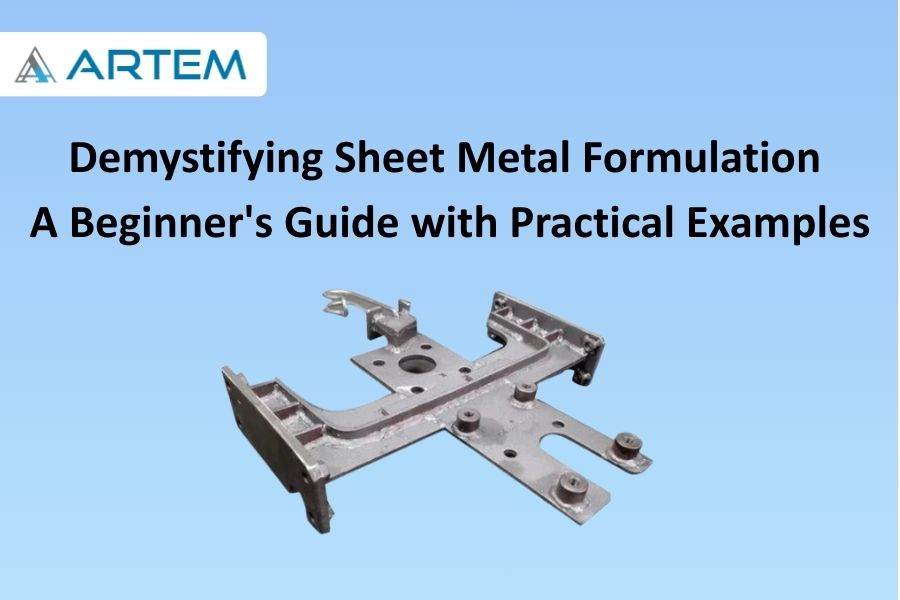
Welcome to the world of sheet metal formulation, where flat sheets transform into intricate structures with the precision of a craftsman’s hands. Whether you’re an aspiring engineer or a DIY enthusiast, understanding the basics of sheet metal formulation is a fundamental step toward bringing your designs to life. In this blog, we’ll unravel the essential concepts and techniques, using practical examples to guide you through the process. The Raw Material: Types of Sheet Metal Before we dive into the formulation process, let’s familiarize ourselves with the raw material. Common sheet metal materials include steel, aluminum, and stainless steel. Each material has its unique properties, influencing factors such as strength, weight, and corrosion resistance. Example: If you’re designing a lightweight panel for an enclosure, aluminum might be a suitable choice due to its low density and corrosion-resistant nature. Getting Started: Basics of Sheet Metal Formulation 2.1 Blank Development: Unfolding the Sheet The first step in sheet metal formulation is the development of a blank, which is the flat pattern of the final 3D shape. This process involves unfolding the sheet metal to create a 2D representation that can be cut and bent. Example: Let’s say you’re designing a simple rectangular box. The blank development involves unfolding the sheet to create a flat pattern that, when bent and assembled, will result in the box shape. 2.2 Bending: Shaping the Material Bending is a critical aspect of sheet metal formulation. It involves deforming the sheet metal along a straight axis to create angles or curves, bringing the flat pattern into its 3D form. Example: Continuing with our rectangular box example, the bending process would involve folding the flat pattern along predefined lines to create the box’s sides and edges. Advanced Techniques: Adding Features to Your Design 3.1 Flanges: Extending the Design Flanges are extensions of the sheet metal that add depth to the structure. They can be simple bends or more complex shapes, allowing you to create features such as tabs or reinforcement. Example: In our box design, adding flanges could involve extending certain edges to create a lip or reinforcement for added strength. 3.2 Holes and Cutouts: Modifying the Material Introducing holes and cutouts is a common practice in sheet metal design. These features not only reduce weight but also serve functional purposes, such as allowing ventilation or accommodating fasteners. Example: You might add ventilation holes to the sides of your box design or cutouts for screws to assemble the components. Putting It All Together: Assembling Sheet Metal Components Once you’ve mastered the individual components, the final step is assembly. Understanding how different sheet metal parts come together ensures a seamless and functional end product. Example: Taking our box design, assembly would involve aligning the edges and fastening the components, creating a solid and well-constructed box. Here’s the information presented in a tabular form for easy reference: Aspect Explanation Example Raw Material Common sheet metal materials include steel, aluminum, and stainless steel. Choosing aluminum for a lightweight panel in an enclosure. Blank Development Unfolding the sheet to create a 2D representation for cutting and bending. Creating a flat pattern for a rectangular box design. Bending Deforming the sheet metal along a straight axis to create angles or curves. Folding the flat pattern along predefined lines for the box. Flanges Extensions adding depth to the structure, creating features like tabs or reinforcement. Extending certain edges to create a lip in the box design. Holes and Cutouts Introducing features for reducing weight and serving functional purposes. Adding ventilation holes or cutouts for screws in the box. Assembly Aligning edges and fastening components to create a solid and well-constructed product. Assembling the different parts of the box design. Conclusion: Crafting with Precision Sheet metal formulation is a captivating journey where creativity meets precision. As you venture into creating your own sheet metal designs, remember the basics: unfolding the sheet, shaping it through bending, and adding features to enhance functionality. With these foundational skills, you’ll soon find yourself crafting a variety of sheet metal structures with confidence and precision. Happy formulating!
Welcome to the intricate world of sheet metal design, where precision is paramount, and every bend matters. In this blog, we’ll unravel the mystery behind a key player in sheet metal formulation: the K-Factor. Let’s explore what the K-Factor is, its significance in sheet metal bending, and how it dances in harmony with different materials. Understanding the K-Factor The K-Factor, short for “neutral axis factor” or “bend allowance factor,” is a critical parameter in sheet metal bending. It’s a dimensionless value that represents the ratio of the neutral axis location to the material thickness. In simpler terms, the K-Factor helps account for the material’s behavior during bending, ensuring accurate calculations for the flat pattern. The K-Factor Formula: A Glimpse into the Math The formula for calculating the K-Factor is: This distance is typically measured from the center of the material thickness to the neutral axis, where no stretching or compressing occurs during bending. Significance of K-Factor in Sheet Metal Bending Accurate Bend Allowance: The K-Factor plays a pivotal role in determining the bend allowance, which, in turn, influences the flat pattern’s accuracy. It helps adjust for the material’s stretching or compressing during the bending process. Material Behavior Consideration: Different materials exhibit varying behaviors during bending. The K-Factor provides a way to tailor the bending calculations to the specific characteristics of the material being used. Precision in Design: Achieving precision in sheet metal design is not just about angles and dimensions; it’s about understanding how the material responds to bending forces. The K-Factor ensures that your design aligns with the real-world behavior of the material. K-Factor and Material Relationship: A Symbiotic Dance The K-Factor is intricately linked to the material properties of the sheet metal being used. Different materials have distinct behaviors during bending, and the K-Factor allows designers to account for these variations. Here’s how the relationship unfolds: Material Ductility: Ductility, the ability of a material to undergo deformation without rupture or cracking, influences how the material stretches during bending. Materials with higher ductility might have different K-Factors compared to less ductile ones. Material Thickness: The thickness of the sheet metal also affects the bending process. Thicker materials may have different K-Factors compared to thinner ones, as the forces exerted during bending vary with thickness. Bend Radius: The radius of the bend significantly impacts the K-Factor. Different bend radii can result in variations in the stretching or compressing of the material, influencing the appropriate K-Factor to use. Conclusion: Mastering the Material Symphony In the realm of sheet metal design, the K-Factor is your guide to mastering the material symphony. It ensures that your designs are not just lines on paper but accurate representations of how the material will behave in the real world. As you delve into the world of sheet metal bending, remember that the K-Factor is your ally, helping you achieve precision, accuracy, and a harmonious dance between design and material reality. Happy bending!