

Aerospace engineering stands as a testament to human innovation, pushing the boundaries of what’s possible. At the heart of this cutting-edge industry lies Geometric Dimensioning and Tolerancing (GD&T), a language of precision that ensures every component, no matter how intricate, aligns seamlessly. In this exploration, we’ll delve into real-world case studies, demonstrating how GD&T is intricately woven into aerospace design using CAD tools like Siemens NX and Dassault Systèmes CATIA. Case Study 1: Fuselage Alignment in Siemens NX In the design of an aircraft fuselage using Siemens NX, precise alignment is critical for aerodynamics and structural integrity. GD&T plays a pivotal role in ensuring that the various components come together seamlessly. The position control feature in GD&T is employed to define the exact location of critical points on the fuselage concerning a datum reference frame. Example: The GD&T callouts on the blueprint define the position of crucial points, such as mounting brackets and access panels, relative to a specific datum. This precision is vital to maintain the aerodynamic profile and structural stability of the aircraft. Case Study 2: CATIA’s Role in Wing Manufacturing Dassault Systèmes CATIA takes center stage in the manufacturing of aircraft wings, where tolerances are incredibly tight. In this scenario, GD&T is used to define not only the dimensions but also the permissible variations in shape, ensuring the wings meet strict performance criteria. Example: The profile of the wing’s airfoil is defined using GD&T in CATIA, ensuring that the curvature and cross-sectional shape conform to the design intent. This meticulous control over the form guarantees optimal lift and drag characteristics during flight. Case Study 3: Engine Mounting Precision in Siemens NX Aerospace propulsion systems demand unparalleled precision. In the design of engine mounts using Siemens NX, GD&T is employed to guarantee the accurate positioning and alignment of the engine components. Example: GD&T controls are utilized to specify the tolerances for the location of engine mounting points, ensuring that the powerplant aligns precisely with the aircraft’s center of gravity. This level of precision is essential for balanced flight and optimal fuel efficiency. Lessons Learned: The Power of GD&T in Aerospace Design Enhanced Communication: GD&T serves as a universal language, facilitating clear communication between design engineers, manufacturers, and quality control teams. In the aerospace industry, where collaboration is key, this is paramount. Optimized Manufacturing Processes: By defining tolerances and geometric characteristics precisely, GD&T allows for efficient and cost-effective manufacturing processes. This is particularly crucial in aerospace, where components need to meet stringent standards while maintaining a balance between performance and weight. Improved Product Quality: The application of GD&T in aerospace design ensures that every component aligns with design intent, leading to enhanced product quality, increased safety margins, and improved overall performance. In conclusion, GD&T isn’t just a set of symbols on blueprints; it’s the silent force guiding the precision in aerospace engineering. Whether it’s the alignment of fuselage components, the shape of wing profiles, or the positioning of engine mounts, GD&T in conjunction with CAD tools like NX and CATIA is the unsung hero of aerospace design, propelling us to new heights of innovation and reliability.

Geometric Dimensioning and Tolerancing (GD&T) employs a unique set of symbols to communicate precise design specifications. Understanding these symbols is fundamental for anyone entering the world of engineering and manufacturing. In this beginner’s guide, we’ll explore the key GD&T symbols along with their characteristics and form-related implications, following the ASME (American Society of Mechanical Engineers) standards. Symbol: ⊥ (Perpendicularity) Characteristic: Perpendicularity ensures that a surface or axis is precisely at a right angle (90 degrees) to a datum reference. Form Control: This symbol is applied to features like holes or surfaces, indicating that they must be perpendicular to a specified datum plane. Symbol: ∥ (Parallelism) Characteristic: Parallelism ensures that a surface or axis is precisely parallel to a datum reference. Form Control: Applied to features such as surfaces or edges, it indicates that they must maintain a constant distance to a specified datum plane. Symbol: ⌀ (Diameter) Characteristic: Represents the diameter of a cylindrical feature. Form Control: Ensures that the cylindrical feature maintains a uniform diameter along its length. Symbol: ⌓ (Concentricity) Characteristic: Concentricity ensures that the center points of two features (like circles) share a common axis. Form Control: Applied to features like circles, it ensures that the centers coincide within a specified tolerance zone. Symbol: △ (Flatness) Characteristic: Flatness ensures that a surface is uniformly flat without any waviness or irregularities. Form Control: Applied to surfaces, it ensures that the entire surface lies within a specified tolerance zone. Symbol: ⨁ (Cylindricity) Characteristic: Cylindricity ensures that the entire surface of a cylindrical feature is within a specified tolerance zone. Form Control: Applied to cylindrical features, it ensures that the entire surface is uniform and does not deviate from a true cylinder. Symbol: Ⓧ (Position) Characteristic: Position establishes the location of a feature’s center point relative to a datum reference. Form Control: Applied to features like holes, it ensures that the center point falls within a specified tolerance zone. Symbol: ⥱ (Profile of a Line) Characteristic: Profile controls the shape of a feature along a straight line. Form Control: Ensures that the profile of the feature conforms to a specified tolerance zone. Symbol: ⭒ (Circularity) Characteristic: Circularity ensures that the entire circumference of a feature is within a specified tolerance zone. Form Control: Applied to circular features, it ensures that the entire circumference is uniform and does not deviate from a true circle. These fundamental symbols lay the groundwork for effective communication of design specifications through GD&T. As you embark on your GD&T journey, familiarizing yourself with these symbols and their associated characteristics will empower you to create precise engineering drawings and contribute to the development of accurate and efficient manufacturing processes. This guide, aligned with ASME standards, breaks down key GD&T symbols, their characteristics, and the form controls they impose. Symbol Characteristic Form Control ⊥ (Perpendicularity) Ensures a surface or axis is precisely at a right angle to a datum reference. Applies to features like holes or surfaces, indicating they must be perpendicular to a specified datum plane. ∥ (Parallelism) Ensures a surface or axis is precisely parallel to a datum reference. Applied to features such as surfaces or edges, indicating they must maintain a constant distance to a specified datum plane. ⌀ (Diameter) Represents the diameter of a cylindrical feature. Ensures the cylindrical feature maintains a uniform diameter along its length. ⌓ (Concentricity) Ensures the center points of two features (like circles) share a common axis. Applied to features like circles, ensuring the centers coincide within a specified tolerance zone. △ (Flatness) Ensures a surface is uniformly flat without any waviness or irregularities. Applied to surfaces, ensuring the entire surface lies within a specified tolerance zone. ⨁ (Cylindricity) Ensures the entire surface of a cylindrical feature is within a specified tolerance zone. Applied to cylindrical features, ensuring the entire surface is uniform and doesn’t deviate from a true cylinder. Ⓧ (Position) Establishes the location of a feature’s center point relative to a datum reference. Applied to features like holes, ensuring the center point falls within a specified tolerance zone. ⥱ (Profile of a Line) Controls the shape of a feature along a straight line. Ensures that the profile of the feature conforms to a specified tolerance zone. ⭒ (Circularity) Ensures the entire circumference of a feature is within a specified tolerance zone. Applied to circular features, ensuring the entire circumference is uniform and doesn’t deviate from a true circle. Understanding these symbols is a crucial step towards creating accurate engineering drawings and fostering effective communication throughout the manufacturing process. As you venture further into the realm of GD&T, these symbols will empower you to convey precise design intent, ensuring consistency and quality in every engineered component.

In the complex landscape of manufacturing, where precision is paramount, Geometric Dimensioning and Tolerancing (GD&T) stands as the guiding language ensuring the utmost accuracy in design and production. However, ensuring that GD&T requirements are met demands meticulous inspection techniques. In this blog, we will delve into various inspection methods and tools employed to verify GD&T specifications in the manufacturing process. Traditional Measurement Tools Calipers: Description: Calipers are versatile tools used to measure dimensions such as length, width, and height. Digital calipers offer high precision. Application to GD&T: Calipers are essential for measuring basic dimensions specified in GD&T, ensuring that physical measurements align with design requirements. Micrometers: Description: Micrometers provide highly accurate measurements for dimensions that require extreme precision. Application to GD&T: Micrometers are ideal for verifying critical dimensions like hole diameters, ensuring compliance with specified tolerances. Height Gauges: Description: Height gauges measure vertical dimensions and are especially useful for checking the height of features. Application to GD&T: Height gauges play a crucial role in inspecting features with specific height requirements, ensuring conformity to GD&T standards. Coordinate Measuring Machines (CMMs) Overview: Description: CMMs use a probing system to measure the coordinates of points on an object’s surface. Application to GD&T: CMMs are highly effective for inspecting complex geometries and verifying dimensional and positional tolerances specified by GD&T. Portable CMMs: Description: Portable CMMs bring flexibility to the inspection process, allowing measurements to be taken directly on the shop floor. Application to GD&T: Portable CMMs enable on-the-spot inspections, ensuring that parts meet GD&T requirements immediately after manufacturing. Optical Inspection Systems Vision Systems: Description: Vision systems use cameras and software to capture and analyze images of a part. Application to GD&T: Vision systems are adept at inspecting features with visual requirements, ensuring that shapes, positions, and orientations align with GD&T specifications. Laser Scanning: Description: Laser scanning creates a detailed 3D representation of a part’s surface. Application to GD&T: Laser scanning is valuable for inspecting freeform surfaces and complex shapes, ensuring compliance with GD&T requirements. Gauge R&R Studies Overview: Description: Gauge Repeatability and Reproducibility (Gauge R&R) studies assess the reliability and consistency of measurement systems. Application to GD&T: Gauge R&R studies ensure that the measurement tools used in the inspection process are reliable and provide consistent results. Conclusion: The Dance of Precision and Verification In the realm of manufacturing, GD&T sets the stage for precision, and inspection techniques are the dance partners ensuring that every move aligns with the choreography of the design. Whether using traditional measurement tools, advanced CMMs, optical inspection systems, or conducting Gauge R&R studies, manufacturers employ a combination of techniques to verify that GD&T requirements are met. The result is a symphony of quality, where every manufactured part harmonizes with the exacting standards of precision set by GD&T. As the dance continues, the manufacturing world moves forward with confidence in the integrity and accuracy of its products.
In the complex landscape of manufacturing, where precision is paramount, Geometric Dimensioning and Tolerancing (GD&T) stands as the guiding language ensuring the utmost accuracy in design and production. However, ensuring that GD&T requirements are met demands meticulous inspection techniques. In this blog, we will delve into various inspection methods and tools employed to verify GD&T specifications in the manufacturing process. Traditional Measurement Tools Calipers: Description: Calipers are versatile tools used to measure dimensions such as length, width, and height. Digital calipers offer high precision. Application to GD&T: Calipers are essential for measuring basic dimensions specified in GD&T, ensuring that physical measurements align with design requirements. Micrometers: Description: Micrometers provide highly accurate measurements for dimensions that require extreme precision. Application to GD&T: Micrometers are ideal for verifying critical dimensions like hole diameters, ensuring compliance with specified tolerances. Height Gauges: Description: Height gauges measure vertical dimensions and are especially useful for checking the height of features. Application to GD&T: Height gauges play a crucial role in inspecting features with specific height requirements, ensuring conformity to GD&T standards. Coordinate Measuring Machines (CMMs) Overview: Description: CMMs use a probing system to measure the coordinates of points on an object’s surface. Application to GD&T: CMMs are highly effective for inspecting complex geometries and verifying dimensional and positional tolerances specified by GD&T. Portable CMMs: Description: Portable CMMs bring flexibility to the inspection process, allowing measurements to be taken directly on the shop floor. Application to GD&T: Portable CMMs enable on-the-spot inspections, ensuring that parts meet GD&T requirements immediately after manufacturing. Optical Inspection Systems Vision Systems: Description: Vision systems use cameras and software to capture and analyze images of a part. Application to GD&T: Vision systems are adept at inspecting features with visual requirements, ensuring that shapes, positions, and orientations align with GD&T specifications. Laser Scanning: Description: Laser scanning creates a detailed 3D representation of a part’s surface. Application to GD&T: Laser scanning is valuable for inspecting freeform surfaces and complex shapes, ensuring compliance with GD&T requirements. Gauge R&R Studies Overview: Description: Gauge Repeatability and Reproducibility (Gauge R&R) studies assess the reliability and consistency of measurement systems. Application to GD&T: Gauge R&R studies ensure that the measurement tools used in the inspection process are reliable and provide consistent results. Conclusion: The Dance of Precision and Verification In the realm of manufacturing, GD&T sets the stage for precision, and inspection techniques are the dance partners ensuring that every move aligns with the choreography of the design. Whether using traditional measurement tools, advanced CMMs, optical inspection systems, or conducting Gauge R&R studies, manufacturers employ a combination of techniques to verify that GD&T requirements are met. The result is a symphony of quality, where every manufactured part harmonizes with the exacting standards of precision set by GD&T. As the dance continues, the manufacturing world moves forward with confidence in the integrity and accuracy of its products.
Geometric Dimensioning and Tolerancing (GD&T) employs a unique set of symbols to communicate precise design specifications. Understanding these symbols is fundamental for anyone entering the world of engineering and manufacturing. In this beginner’s guide, we’ll explore the key GD&T symbols along with their characteristics and form-related implications, following the ASME (American Society of Mechanical Engineers) standards. Symbol: ⊥ (Perpendicularity) Characteristic: Perpendicularity ensures that a surface or axis is precisely at a right angle (90 degrees) to a datum reference. Form Control: This symbol is applied to features like holes or surfaces, indicating that they must be perpendicular to a specified datum plane. Symbol: ∥ (Parallelism) Characteristic: Parallelism ensures that a surface or axis is precisely parallel to a datum reference. Form Control: Applied to features such as surfaces or edges, it indicates that they must maintain a constant distance to a specified datum plane. Symbol: ⌀ (Diameter) Characteristic: Represents the diameter of a cylindrical feature. Form Control: Ensures that the cylindrical feature maintains a uniform diameter along its length. Symbol: ⌓ (Concentricity) Characteristic: Concentricity ensures that the center points of two features (like circles) share a common axis. Form Control: Applied to features like circles, it ensures that the centers coincide within a specified tolerance zone. Symbol: △ (Flatness) Characteristic: Flatness ensures that a surface is uniformly flat without any waviness or irregularities. Form Control: Applied to surfaces, it ensures that the entire surface lies within a specified tolerance zone. Symbol: ⨁ (Cylindricity) Characteristic: Cylindricity ensures that the entire surface of a cylindrical feature is within a specified tolerance zone. Form Control: Applied to cylindrical features, it ensures that the entire surface is uniform and does not deviate from a true cylinder. Symbol: Ⓧ (Position) Characteristic: Position establishes the location of a feature’s center point relative to a datum reference. Form Control: Applied to features like holes, it ensures that the center point falls within a specified tolerance zone. Symbol: ⥱ (Profile of a Line) Characteristic: Profile controls the shape of a feature along a straight line. Form Control: Ensures that the profile of the feature conforms to a specified tolerance zone. Symbol: ⭒ (Circularity) Characteristic: Circularity ensures that the entire circumference of a feature is within a specified tolerance zone. Form Control: Applied to circular features, it ensures that the entire circumference is uniform and does not deviate from a true circle. These fundamental symbols lay the groundwork for effective communication of design specifications through GD&T. As you embark on your GD&T journey, familiarizing yourself with these symbols and their associated characteristics will empower you to create precise engineering drawings and contribute to the development of accurate and efficient manufacturing processes. This guide, aligned with ASME standards, breaks down key GD&T symbols, their characteristics, and the form controls they impose. Symbol Characteristic Form Control ⊥ (Perpendicularity) Ensures a surface or axis is precisely at a right angle to a datum reference. Applies to features like holes or surfaces, indicating they must be perpendicular to a specified datum plane. ∥ (Parallelism) Ensures a surface or axis is precisely parallel to a datum reference. Applied to features such as surfaces or edges, indicating they must maintain a constant distance to a specified datum plane. ⌀ (Diameter) Represents the diameter of a cylindrical feature. Ensures the cylindrical feature maintains a uniform diameter along its length. ⌓ (Concentricity) Ensures the center points of two features (like circles) share a common axis. Applied to features like circles, ensuring the centers coincide within a specified tolerance zone. △ (Flatness) Ensures a surface is uniformly flat without any waviness or irregularities. Applied to surfaces, ensuring the entire surface lies within a specified tolerance zone. ⨁ (Cylindricity) Ensures the entire surface of a cylindrical feature is within a specified tolerance zone. Applied to cylindrical features, ensuring the entire surface is uniform and doesn’t deviate from a true cylinder. Ⓧ (Position) Establishes the location of a feature’s center point relative to a datum reference. Applied to features like holes, ensuring the center point falls within a specified tolerance zone. ⥱ (Profile of a Line) Controls the shape of a feature along a straight line. Ensures that the profile of the feature conforms to a specified tolerance zone. ⭒ (Circularity) Ensures the entire circumference of a feature is within a specified tolerance zone. Applied to circular features, ensuring the entire circumference is uniform and doesn’t deviate from a true circle. Understanding these symbols is a crucial step towards creating accurate engineering drawings and fostering effective communication throughout the manufacturing process. As you venture further into the realm of GD&T, these symbols will empower you to convey precise design intent, ensuring consistency and quality in every engineered component.

Geometric Dimensioning and Tolerancing (GD&T) is a vital language in the realm of engineering and manufacturing, serving as a set of symbols and principles that convey precise specifications for the design and production of mechanical components. GD&T plays a crucial role in enhancing communication between designers, engineers, and manufacturers, ensuring that everyone involved in the process interprets design intent accurately. Understanding the Basics of GD&T At its core, GD&T is a symbolic language that allows designers to communicate geometric characteristics and tolerances more precisely than traditional methods. Unlike traditional dimensioning, which primarily focuses on size, GD&T incorporates symbols and annotations to convey information about form, orientation, location, and runout. The fundamental elements of GD&T include: Symbols: GD&T uses a set of symbols to represent various geometric characteristics and tolerances. Common symbols include position, concentricity, perpendicularity, and parallelism. Datums: Datums are reference points or planes that serve as the basis for measurements and tolerances. They establish the coordinate system for the part. Feature Control Frames: These frames encapsulate the GD&T symbols and provide a compact way to communicate the desired tolerances and geometric characteristics for a specific feature. Importance of GD&T in Engineering Drawings GD&T is essential for several reasons: Precision and Clarity: GD&T provides a clear and precise way to communicate design requirements. This minimizes ambiguity and reduces the likelihood of misinterpretation. Uniformity: Standardizing on GD&T promotes consistency across design and manufacturing processes, ensuring that everyone in the supply chain understands and adheres to the specified tolerances. Cost Reduction: By accurately defining tolerances, GD&T helps optimize manufacturing processes, reducing the likelihood of defects and rework. This, in turn, lowers production costs. Global Compatibility: GD&T is an internationally recognized standard, making it easier for companies to collaborate on a global scale. Engineers and manufacturers worldwide can understand and implement GD&T specifications. Getting Started with GD&T For beginners, delving into GD&T can be a bit overwhelming. However, a solid foundation begins with understanding the basic symbols and concepts. Here are a few key points to kickstart your GD&T journey: Learn the Symbols: Familiarize yourself with symbols such as position, concentricity, perpendicularity, and parallelism. Each symbol conveys specific information about the geometric characteristics of a feature. Understand Datums: Grasp the concept of datums and their role in establishing a reference coordinate system. Datums are crucial for interpreting the tolerances specified in a drawing. Explore Feature Control Frames: Practice reading and creating feature control frames. These frames encapsulate the GD&T symbols, making it easier to convey design requirements for individual features. Take Advantage of Resources: Numerous resources, including textbooks, online courses, and software tutorials, are available to help you learn GD&T. Leverage these tools to enhance your understanding and practical application of GD&T principles. In conclusion, GD&T is a powerful tool that elevates the precision and clarity of engineering drawings. Embracing GD&T principles not only enhances communication but also contributes to cost-effective and efficient manufacturing processes. As you embark on your GD&T journey, remember that practice and continuous learning are key to mastering this language of precision in engineering.
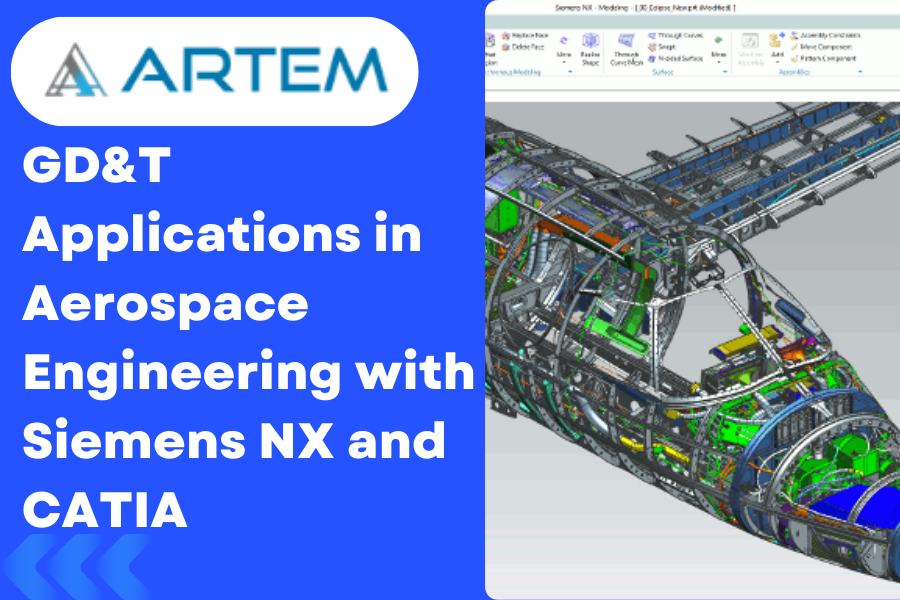
Aerospace engineering stands as a testament to human innovation, pushing the boundaries of what’s possible. At the heart of this cutting-edge industry lies Geometric Dimensioning and Tolerancing (GD&T), a language of precision that ensures every component, no matter how intricate, aligns seamlessly. In this exploration, we’ll delve into real-world case studies, demonstrating how GD&T is intricately woven into aerospace design using CAD tools like Siemens NX and Dassault Systèm CATIA. Case Study 1: Fuselage Alignment in Siemens NX In the design of an aircraft fuselage using Siemens NX, precise alignment is critical for aerodynamics and structural integrity. GD&T plays a pivotal role in ensuring that the various components come together seamlessly. The position control feature in GD&T is employed to define the exact location of critical points on the fuselage concerning a datum reference frame. Example: The GD&T callouts on the blueprint define the position of crucial points, such as mounting brackets and access panels, relative to a specific datum. This precision is vital to maintain the aerodynamic profile and structural stability of the aircraft. Case Study 2: CATIA’s Role in Wing Manufacturing Dassault Systèm CATIA takes center stage in the manufacturing of aircraft wings, where tolerances are incredibly tight. In this scenario, GD&T is used to define not only the dimensions but also the permissible variations in shape, ensuring the wings meet strict performance criteria. Example: The profile of the wing’s airfoil is defined using GD&T in CATIA, ensuring that the curvature and cross-sectional shape conform to the design intent. This meticulous control over the form guarantees optimal lift and drag characteristics during flight. Case Study 3: Aerospace propulsion systems demand unparalleled precision. In the design of engine mounts using Siemens NX, GD&T is employed to guarantee the accurate positioning and alignment of the engine components. Example: GD&T controls are utilized to specify the tolerances for the location of engine mounting points, ensuring that the powerplant aligns precisely with the aircraft’s center of gravity. This level of precision is essential for balanced flight and optimal fuel efficiency. Lessons Learned: The Power of GD&T in Aerospace Design 1. Enhanced Communication: GD&T serves as a universal language, facilitating clear communication between design engineers, manufacturers, and quality control teams. In the aerospace industry, where collaboration is key, this is paramount. 2. Optimized Manufacturing Processes: By defining tolerances and geometric characteristics precisely, GD&T allows for efficient and cost-effective manufacturing processes. This is particularly crucial in aerospace, where components need to meet stringent standards while maintaining a balance between performance and weight. 3. Improved Product Quality: The application of GD&T in aerospace design ensures that every component aligns with design intent, leading to enhanced product quality, increased safety margins, and improved overall performance. In conclusion, GD&T isn’t just a set of symbols on blueprints; it’s the silent force guiding the precision in aerospace engineering. Whether it’s the alignment of fuselage components, the shape of wing profiles, or the positioning of engine mounts, GD&T in conjunction with CAD tools like NX and CATIA is the unsung hero of aerospace design, propelling us to new heights of innovation and reliability.