

Saint-Venant’s Principle, named after the French engineer Adhémar Jean Claude Barré de Saint-Venant, is a concept in structural mechanics that provides guidance on how the distribution of stress becomes more uniform at a sufficient distance from a concentrated load or point of load application. The principle is particularly useful when analyzing the behavior of structures […]

Aerospace engineering stands as a testament to human innovation, pushing the boundaries of what’s possible. At the heart of this cutting-edge industry lies Geometric Dimensioning and Tolerancing (GD&T), a language of precision that ensures every component, no matter how intricate, aligns seamlessly. In this exploration, we’ll delve into real-world case studies, demonstrating how GD&T is […]

Geometric Dimensioning and Tolerancing (GD&T) employs a unique set of symbols to communicate precise design specifications. Understanding these symbols is fundamental for anyone entering the world of engineering and manufacturing. In this beginner’s guide, we’ll explore the key GD&T symbols along with their characteristics and form-related implications, following the ASME (American Society of Mechanical Engineers) […]

Welcome, aspiring engineers and graduate students! As you delve into the intricate world of Computer-Aided Design (CAD), mastering tools like Siemens NX can be a game-changer. Today, let’s unravel the secrets of NX CAD workflow optimization, a journey that promises not just efficiency but a heightened level of productivity in your design endeavors. Understanding the […]

Attention, future design maestros! In the electrifying world of Computer-Aided Design (CAD), two giants reign supreme: Siemens NX and CATIA. Buckle up, because we’re about to embark on a thrilling journey through the landscapes of creativity, innovation, and engineering prowess! Setting the Stage: NX Enters the Arena NX, The Dynamo of Precision Imagine a digital […]

If you’re aspiring to carve your niche in the dynamic world of automotive alignment engineering, mastering Computer-Aided Design (CAD) is a crucial pit stop on your career journey. The question then arises: which CAD software is the best companion for engineers in this field? Buckle up as we navigate through the options and unveil the […]

Welcome to the fascinating realm of sheet metal formulation, where precision meets creativity. Mastering the formulas involved in sheet metal design is like uncovering the language of a skilled craftsman. In this blog, we’ll delve into the essential formulas that underpin the art of sheet metal work, providing you with the knowledge to craft your […]
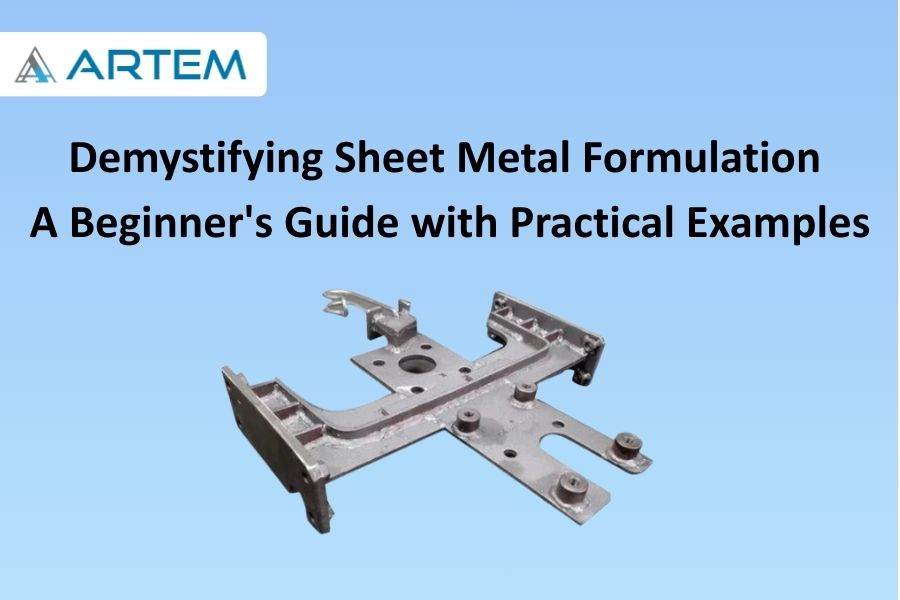
Welcome to the world of sheet metal formulation, where flat sheets transform into intricate structures with the precision of a craftsman’s hands. Whether you’re an aspiring engineer or a DIY enthusiast, understanding the basics of sheet metal formulation is a fundamental step toward bringing your designs to life. In this blog, we’ll unravel the essential […]
Welcome to the intricate world of sheet metal design, where precision is paramount, and every bend matters. In this blog, we’ll unravel the mystery behind a key player in sheet metal formulation: the K-Factor. Let’s explore what the K-Factor is, its significance in sheet metal bending, and how it dances in harmony with different materials. […]
Verifying and validating a model developed in NX or CATIA is a crucial step to ensure that the design meets the specified requirements and adheres to industry standards. The verification process focuses on checking the model for accuracy, while validation ensures that the model aligns with the intended functionality and performance. Here’s a guide on […]
- 1
- 2